What Is Headless CMS? A Plain-English Explanation
A headless CMS is a content system that stores and organizes your website’s content but doesn’t include the part that displays it. A separate program builds the actual pages visitors see.
That’s the whole definition. Everything else in this post is context for why that distinction actually matters to your website.
Key Takeaways: A headless CMS is a content management system with no built-in front end. It stores and organizes your content, but a separate program, often a static-site framework, builds the actual web pages, pulling content through an API. Picture a kitchen that can serve dine-in, delivery, or drive-through: same food, different presentation. The practical payoff for a small business is speed, since pages built ahead of time and served as finished files typically load faster than pages a server has to assemble on the spot.
The One-Sentence Definition
A headless CMS is a content system that stores and organizes your website’s content but doesn’t include the part that displays it. A separate program builds the actual pages.
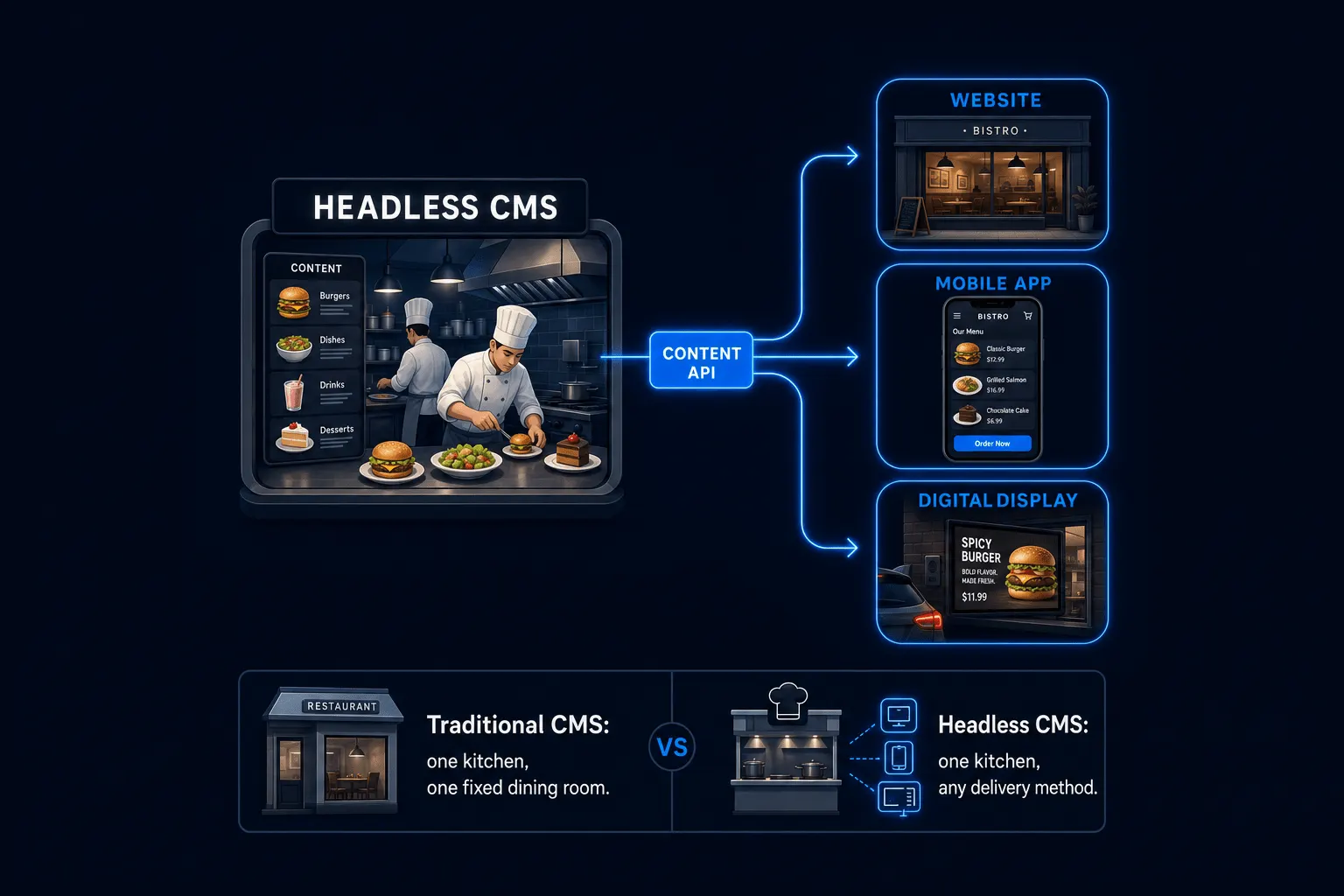
Here’s the analogy that makes it click. A kitchen prepares food; that’s your content. “Headless” just means the dining room isn’t permanently bolted onto that one kitchen. The same food can go out through a dine-in room, a delivery app, or a drive-through window. Nothing about the food changes. Only the way it reaches the customer does. A traditional CMS is a kitchen with one fixed dining room built onto it. A headless CMS is a kitchen that can serve through whichever dining room fits, including a brand new one built later without touching what’s cooking.
How Content Actually Flows From CMS to Website
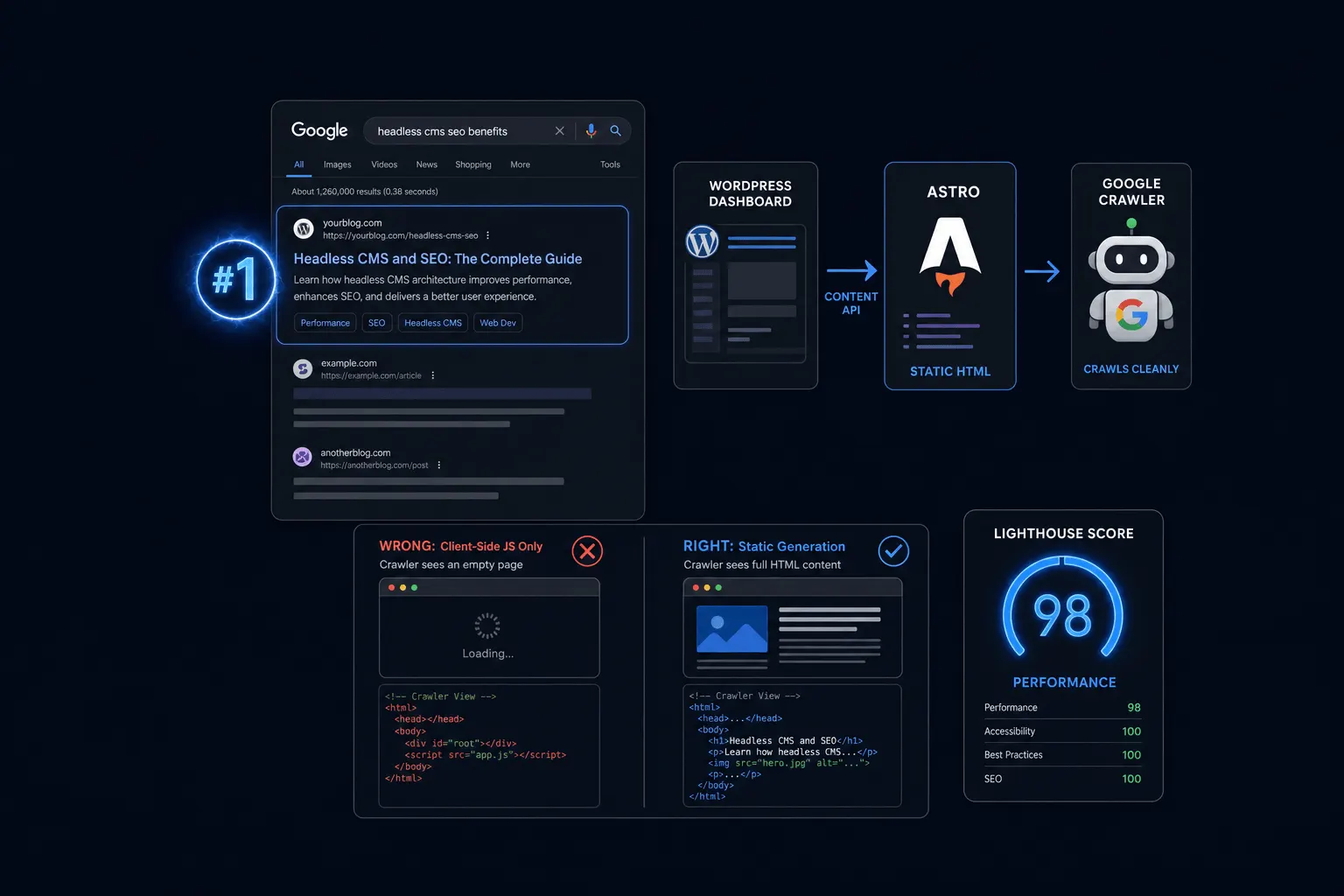
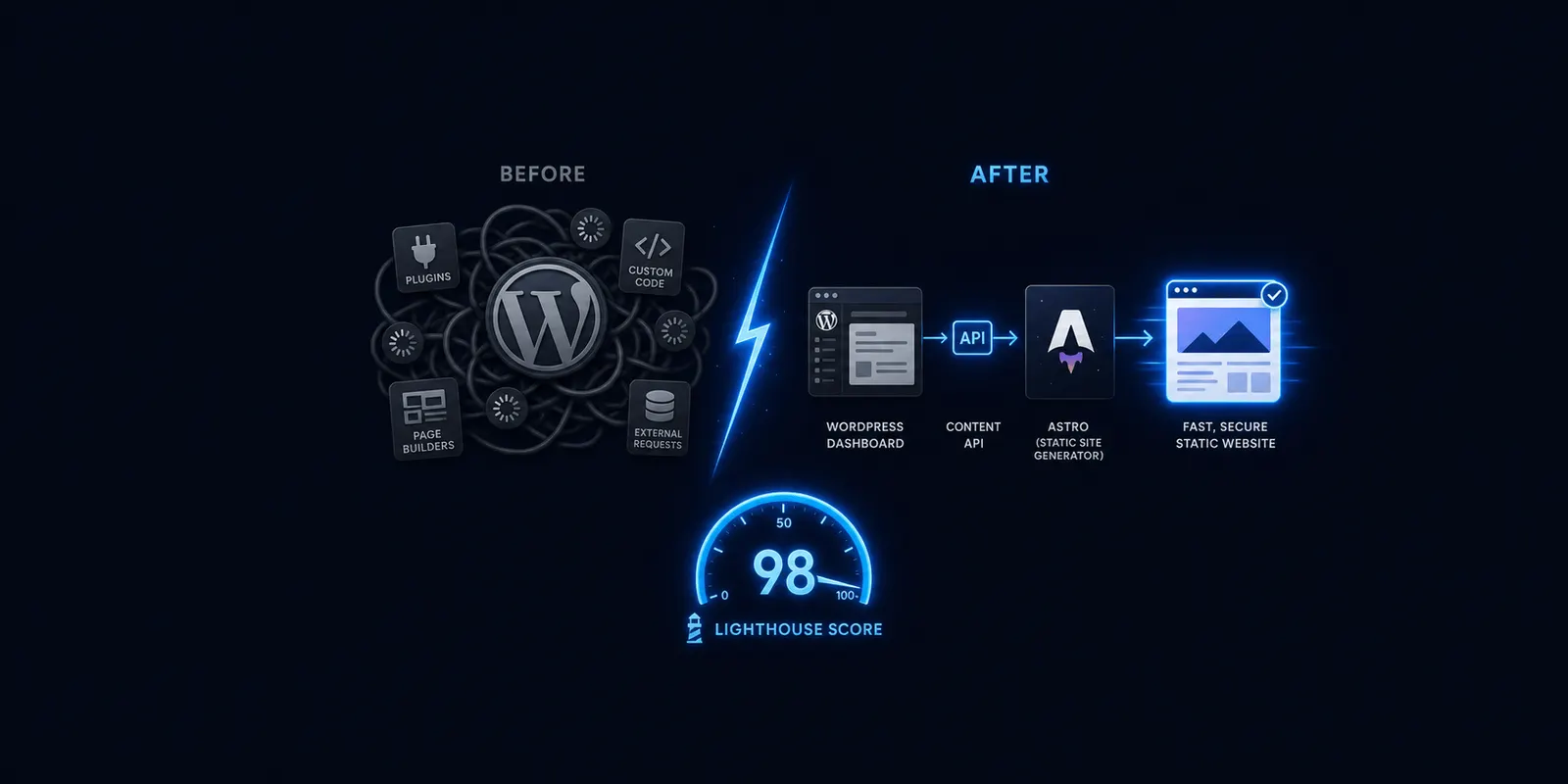
You write in a dashboard, the content gets requested through an API, a separate program (like Astro) builds the finished web page, and that finished page is what a visitor actually sees.
Compare that with a traditional CMS, where all of those steps happen inside one connected system, every single time a visitor loads the page. Headless breaks that chain into separate pieces, and that separation is where most of the practical differences, speed included, actually come from.
Why This Affects How Fast Your Site Loads
Headless setups paired with a static-site framework typically build pages ahead of time rather than on each visit, so there’s less work happening the moment someone loads your site.
Vendor and agency comparisons put real-world JAMstack load times around 0.5 to 1.2 seconds, against 2.5 to 4 seconds for a typical WordPress site, and basic static sites often score 95 to 100 on Lighthouse out of the box versus 40 to 70 for a basic WordPress site. Those figures come from industry roundups rather than one controlled benchmark, so I’d treat them as directional ranges. Speed matters commercially too: roughly 53 percent of mobile visitors abandon a page that takes more than three seconds, and every 100 milliseconds of load time costs approximately 1 percent in conversions, according to long-standing, widely corroborated web performance research.
You may have seen a specific speed percentage used elsewhere on this site describing headless WordPress. I’d rather hold off on repeating that number here than state it as a verified fact without a current benchmark behind it. What’s fair and defensible to say: this architecture is built to load meaningfully faster, by design, than a page assembled from scratch on every visit.
Is Headless the Same as “No CMS”?
No. You still have a full CMS, often still WordPress, for writing and organizing content. “Headless” only removes the built-in front-end display layer, not the CMS itself.
This is a common misread of the term worth heading off directly. You’re not giving up your content system. You’re just changing what handles the last step, turning that content into a webpage.
Frequently Asked Questions
What is a headless CMS in simple terms? A content system that stores your content but doesn’t build the website page itself. A separate program does that.
Do I still use WordPress with a headless setup? Often, yes. Many headless setups, including Astrobot’s Supernova plan, still use WordPress as the content dashboard.
Why does headless CMS load faster? Pages are typically built ahead of time and served as finished files, rather than assembled fresh for every visitor.
Is headless CMS the same as a static site generator? Related, but not identical. A static site generator, like Astro, is often what builds the pages from a headless CMS’s content. The CMS and the generator are two separate pieces working together.
Do I need to be technical to use a headless CMS? Writing and editing content stays similar to a normal dashboard. Building new page templates or layouts typically does need a developer.
The Bottom Line
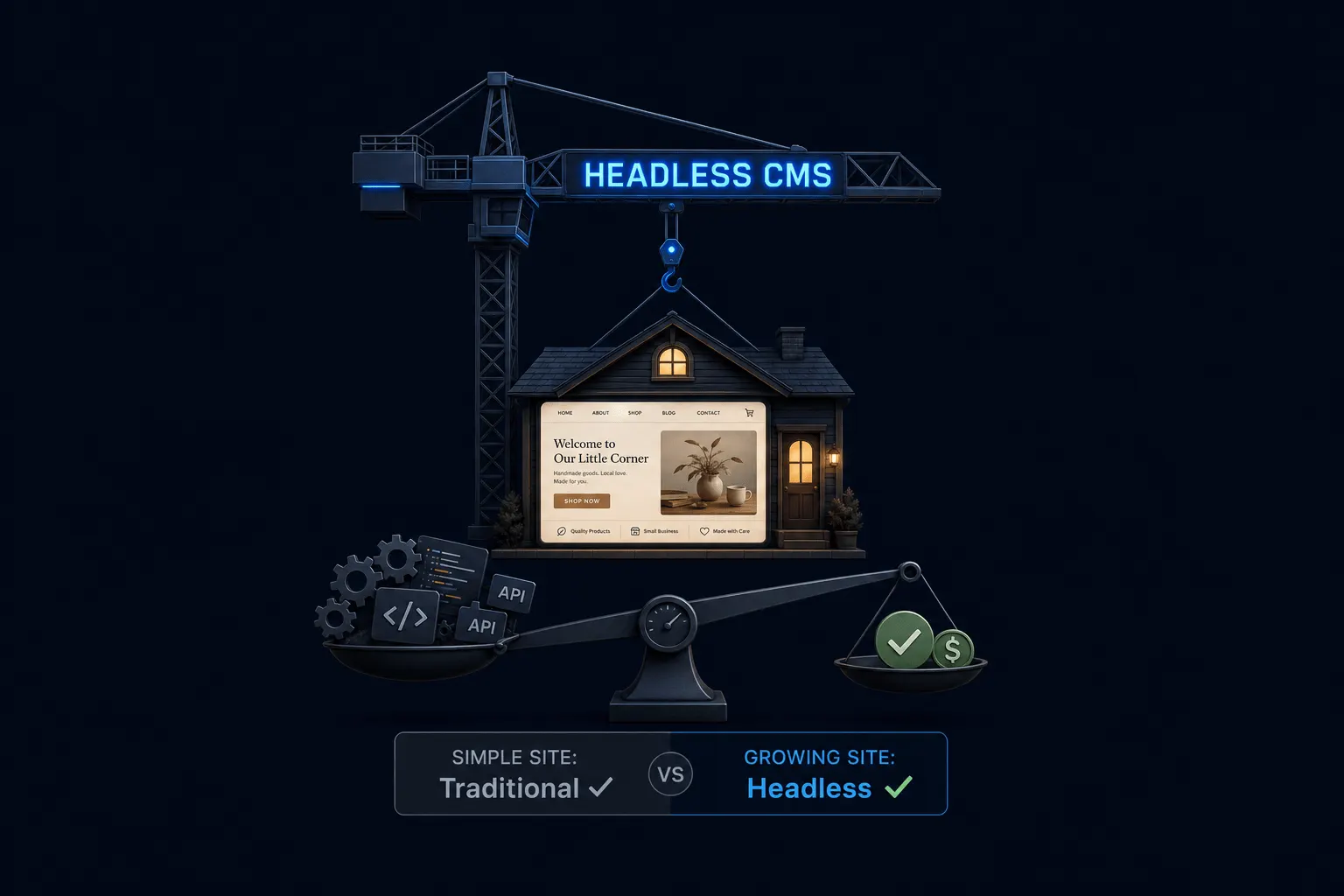
Strip away the jargon and headless CMS is a simple idea: your content and the page that displays it are no longer welded together. That separation is what makes faster load times possible, and it’s the whole concept in one sentence. If you’re deciding whether this actually matters for your business, not just what it means, our full plain-English breakdown goes further into the practical trade-offs.
Ready to put this into practice? Explore our web design services, view plans & pricing, or book a free consultation — no pressure, just honest advice.