Squarespace vs. Custom Website: What You Actually Lose
Squarespace gets criticized by web developers more than almost any other builder platform, and defended just as hard by the design community that loves its templates. Both camps are talking past each other, because the real issue with Squarespace isn’t its design quality. It’s architecture.
Squarespace’s 2026 pricing runs $16-99 a month across its four tiers, and it’s a genuinely well-designed platform for the right site. This piece is about what you actually give up by staying on it, specifically, not the generic DIY-vs-professional case I’ve made elsewhere.
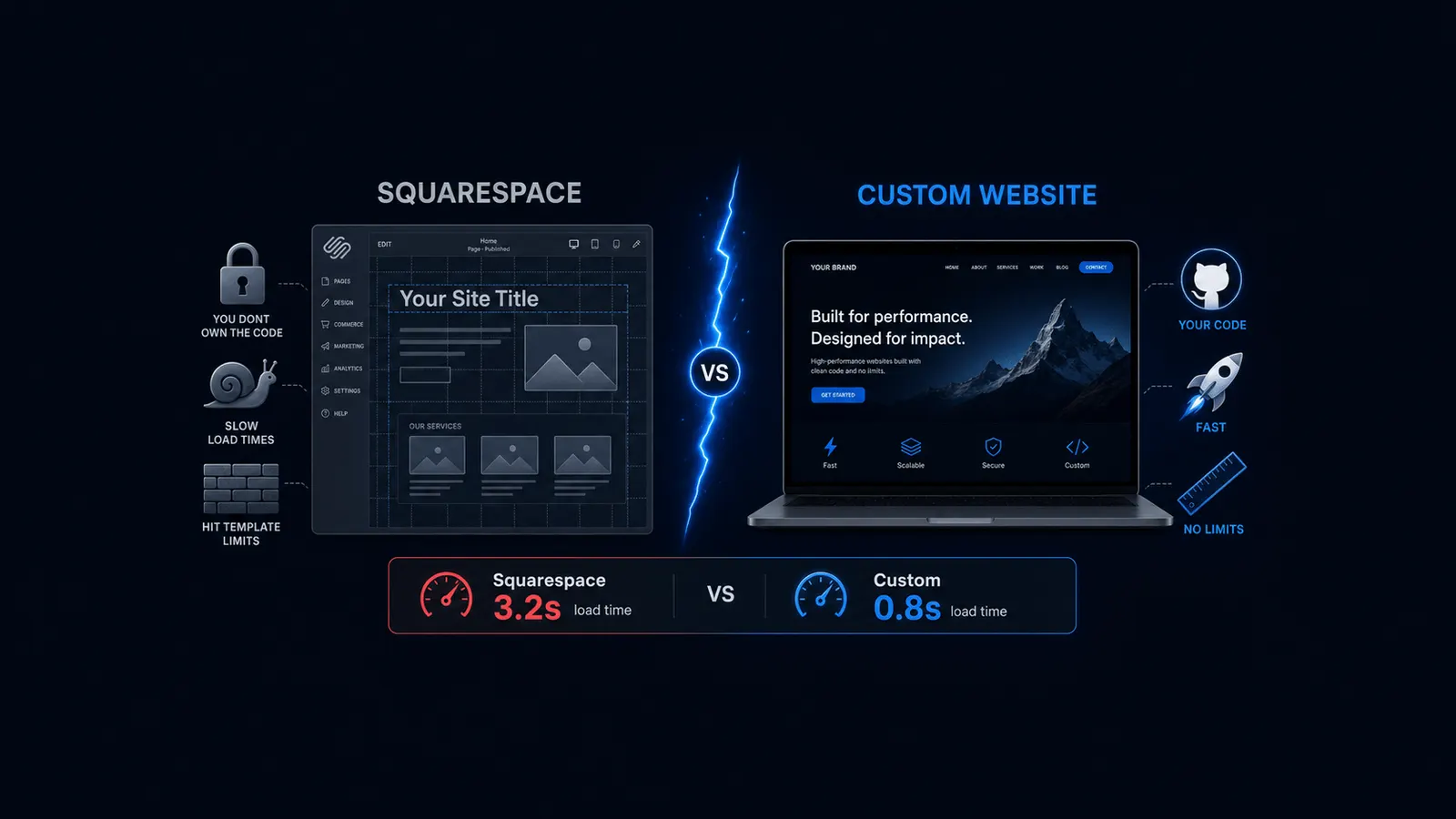
Key Takeaways: Squarespace is a solid, design-forward platform for simple sites, and genuinely fine for a lot of small businesses. What it doesn’t advertise clearly: no robots.txt or deep schema control limits advanced SEO work, typical mobile page speed scores run well below custom-built sites, templates can’t be swapped once chosen, and its closed app ecosystem means no plugins to extend functionality. None of that matters for a simple brochure site. It matters a lot once SEO growth, page speed, or future flexibility become part of the plan.
Where Squarespace Is Genuinely Fine
Squarespace is a genuinely good tool for a simple brochure or portfolio site, a handful of pages, low SEO ambition, no need for custom functionality. If most of your customers arrive by referral or local search rather than organic content marketing, none of what follows in this piece will cost you anything real.
I want to be clear about that before listing what you give up, because most Squarespace content either oversells the platform’s limitations or ignores them completely. Neither is honest.
SEO Control Limitations
Squarespace doesn’t allow robots.txt editing, doesn’t offer deep schema markup control, and has no support for a dedicated SEO plugin layer the way WordPress users get from tools like Yoast or RankMath, according to Elementor’s 2026 WordPress-vs-Squarespace SEO comparison, corroborated by multiple independent 2026 platform reviews.
What that means practically: basic on-page SEO, titles, meta descriptions, headers, works fine. The ceiling shows up once a business wants advanced technical SEO or content-scale organic growth. Page speed and schema control specifically hit architectural limits that no plugin can fix, because Squarespace doesn’t allow plugins in the first place.
Page Speed
| Site Type | Typical Mobile PageSpeed Score |
|---|---|
| Squarespace | 30-55 |
| Custom-built site | 90+ |
These ranges come from aggregated 2026 Squarespace speed reviews rather than a single controlled study, so treat them as directional. If page speed matters to your decision, I’d run your specific Squarespace site through Google’s PageSpeed Insights directly rather than relying on any published range, including this one.
The reason behind the gap is architectural too: unoptimized scripts and no backend control mean you can’t fix this yourself the way you could on a more open stack. Page speed isn’t cosmetic. It affects both conversion and Google’s ranking signals directly.
Ownership, Portability, and the App Ecosystem
On Squarespace 7.1, you generally can’t switch templates once you’ve selected one without an effective rebuild, according to a 2026 platform review from Style Factory Productions. That’s worth knowing before you invest years of content into a specific template’s structure.
The closed app ecosystem compounds this. There’s no plugin marketplace, so extending functionality, advanced booking, custom integrations, means working within whatever Squarespace’s own built-in feature set allows, not adding a third-party tool the way you could on WordPress.
Portability is the last piece. Moving off Squarespace later generally means a rebuild, not a straightforward export and migrate. That’s a real cost to factor in before you commit significant content investment to the platform.
Cost Comparison
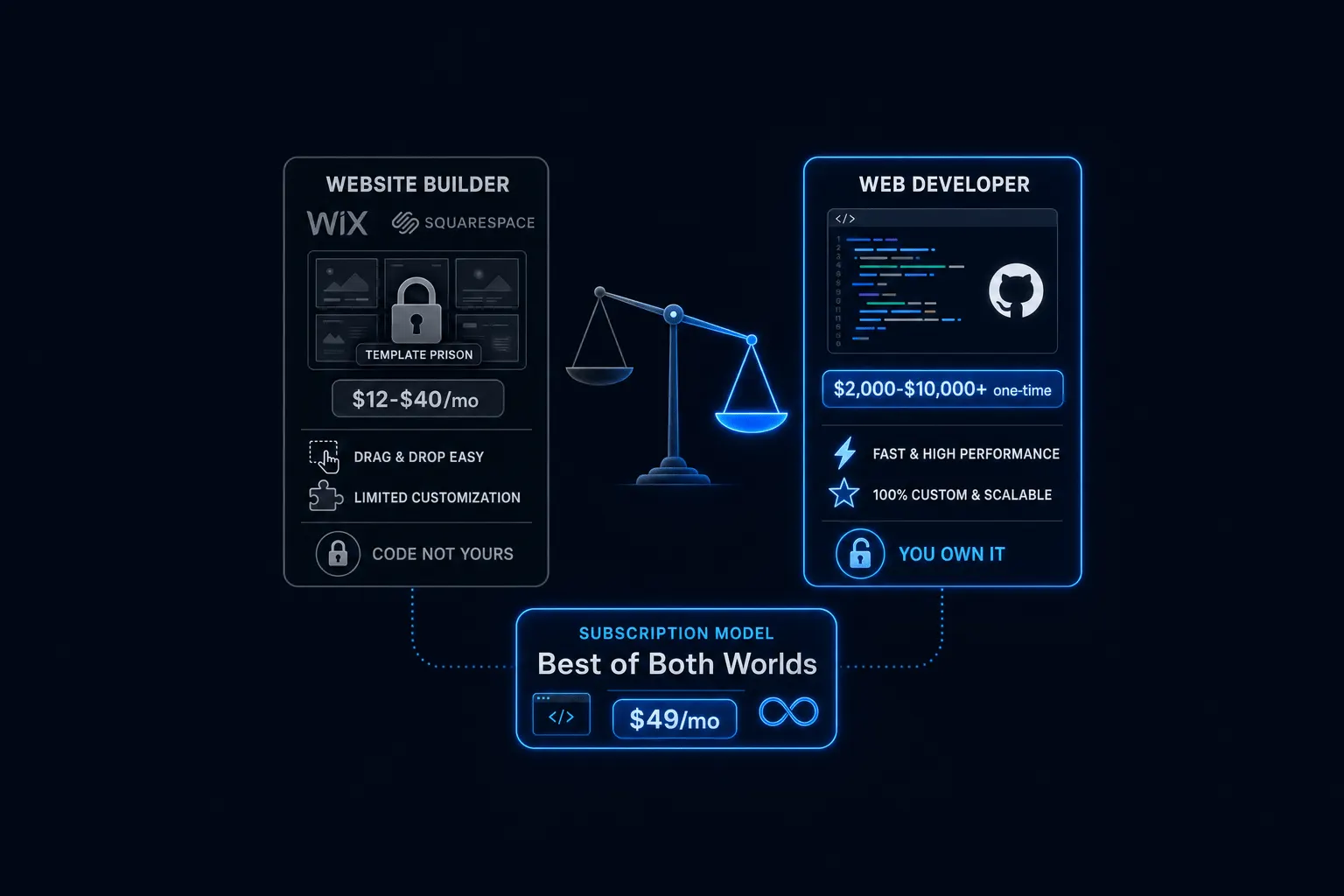
Squarespace’s 2026 tiers run from about $16 on Basic to $99 a month on Advanced. The tiers that remove the most limitations, Plus and Advanced, run $49-99 a month, which puts them in roughly the same range as a professional flat-rate subscription that doesn’t carry the same architectural ceiling.
At the low end, Squarespace remains genuinely cheaper than hiring anyone. That gap narrows considerably once you need the tier where its real limits start mattering, which is worth factoring into the decision rather than comparing only the entry-level price. For the fuller breakdown of what DIY platforms really cost once add-ons are included, see Website Builder Hidden Fees.
Frequently Asked Questions
Is Squarespace bad for SEO? Not bad, but limited for advanced technical SEO. It’s fine for basic on-page needs and becomes a real ceiling once you want deeper schema control or content-scale organic growth.
Can I switch Squarespace templates later? Not without an effective rebuild on Squarespace 7.1, so choose carefully upfront rather than assuming you can swap it out easily later.
Can I move my site off Squarespace if I outgrow it? Generally, yes, but it requires a rebuild rather than a simple migration. Factor that in before you commit significant content to the platform.
Is Squarespace worth it for a small business? Often, yes, for a simple site. The answer changes once SEO growth, page speed, or custom functionality become real priorities for the business.
The Bottom Line
Squarespace’s limitations aren’t a design problem, they’re an architecture problem, and architecture is exactly the thing you can’t fix with a better template or a paid app. For a simple site with modest ambitions, none of that matters.
For a business counting on organic growth, fast page speed, or the flexibility to add real functionality later, the gap is worth taking seriously before you build years of content on a platform you might need to leave.
If you’re weighing whether to stay on Squarespace or move to something built around your business specifically, see how Astrobot’s flat-rate plans compare.
Ready to put this into practice? Explore our web design services, view plans & pricing, or book a free consultation — no pressure, just honest advice.