MVP Website Design: What a Startup Really Needs to Launch
MVP content is everywhere, and almost none of it is written for a website specifically. It’s written for software products, apps, SaaS features, and it leaves founders to guess how “minimum viable” translates into an actual homepage.
About 74.1% of businesses report planning to launch an MVP, according to a GoodFirms report cited by Purrweb’s 2026 MVP development guide. This piece is the direct translation: what MVP actually means for a website’s page list, not a product roadmap.
Key Takeaways: An MVP website is the smallest version of your site that can actually test whether people want what you’re offering, not a rough draft of a bigger plan. It needs a homepage that states the offer clearly, a way to see pricing or the product itself, and one clear path to buy or contact you. Everything else, blog, testimonials, team bios, custom booking systems, animations, is a v2 decision, made after real customers give you a reason to build it.
What “MVP” Actually Means for a Website
An MVP website isn’t a rough draft of a bigger site you’ll build later. It’s the smallest version of your site that can actually test whether people want what you’re offering, the exact same MVP logic used for products, applied to a website’s specific page-and-feature list.
That’s an important distinction from “cheap” or “ugly.” An MVP website should still look credible and professional. MVP describes scope, not quality, and conflating the two is how founders end up either over-building a v1 that takes months, or under-building one that doesn’t earn any trust.
I’ve seen this work in practice. A performance-coaching client launched with exactly three things, a homepage, a services page, and a Stripe payment link, and had paying subscribers within the first week. I tell that story and another one in full in what actually needs to be on your website at launch.
The Minimum Feature Set
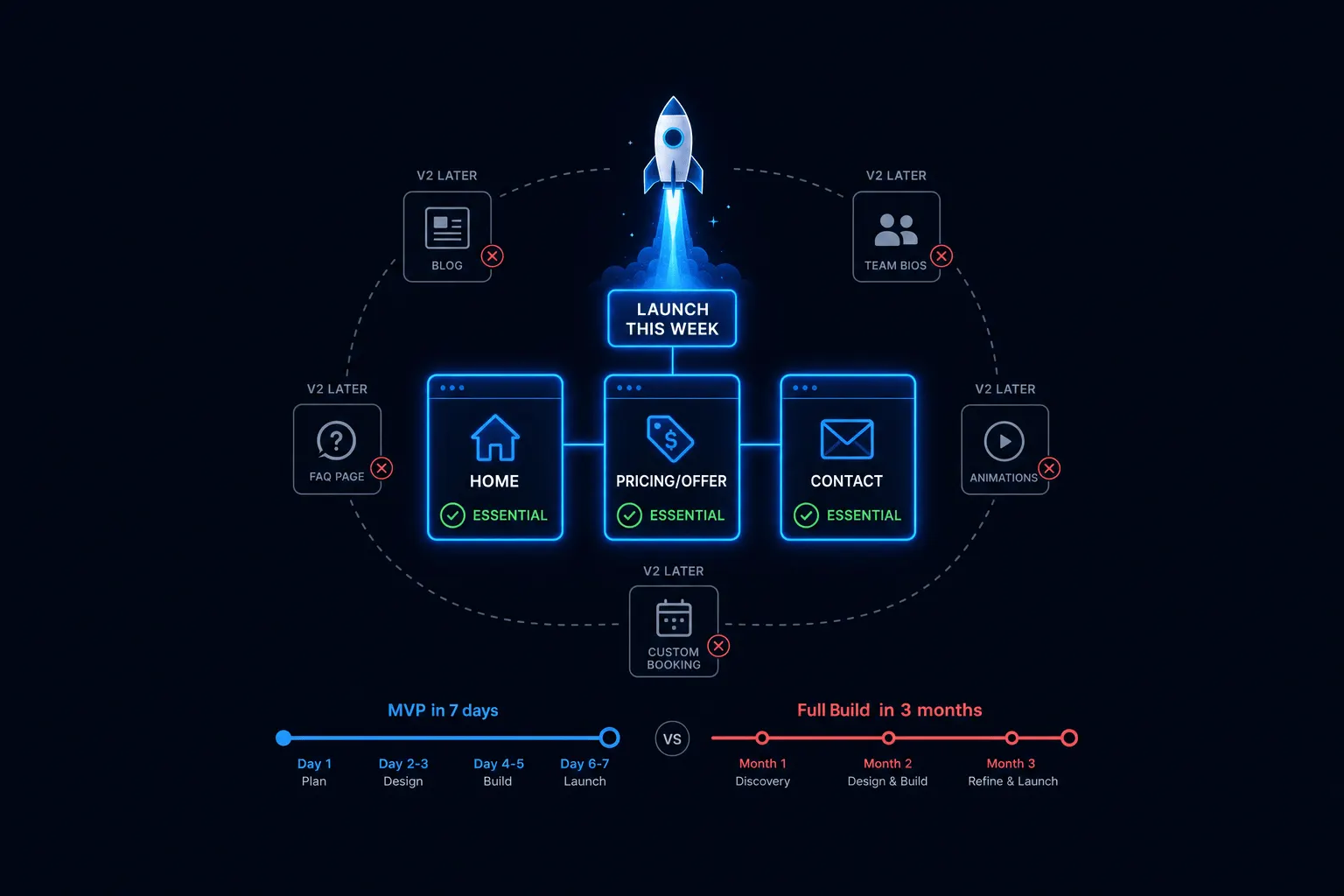
The minimum feature set is genuinely short. A homepage with one clear headline stating the offer and who it’s for. An offer or pricing page showing what’s being sold and how to buy it, no case studies or extensive copy required yet. And one conversion path, a form, a booking link, or a payment integration, picked and made obvious.
That’s the complete list. It’s tempting to read that and assume it’s a placeholder version of the “real” site coming later. It isn’t. It’s genuinely sufficient to launch and start learning what real customers actually want.
What to Explicitly Cut for V1
- Blog or content section: there’s no traffic yet to serve; add it once there’s demonstrated demand
- Team bios or an About page: customers care about the offer first
- Custom booking or account systems: use an off-the-shelf tool like Calendly or Stripe embedded on the site instead of building anything custom
- FAQ page: you don’t know the real questions yet; collect them after launch, then build the page from actual customer questions
- Animations or complex interactions: they don’t affect conversion and they do slow down both the site and your timeline
None of these are wrong to eventually build. They’re just wrong to build before you have a single customer telling you they matter.
When to Move Past MVP
The right time to expand past MVP is signal-based, not calendar-based. Move past it once real customer feedback identifies a specific gap: a question that keeps coming up becomes the FAQ page, real testimonials become a social proof section, a recurring feature request becomes the next thing you build.
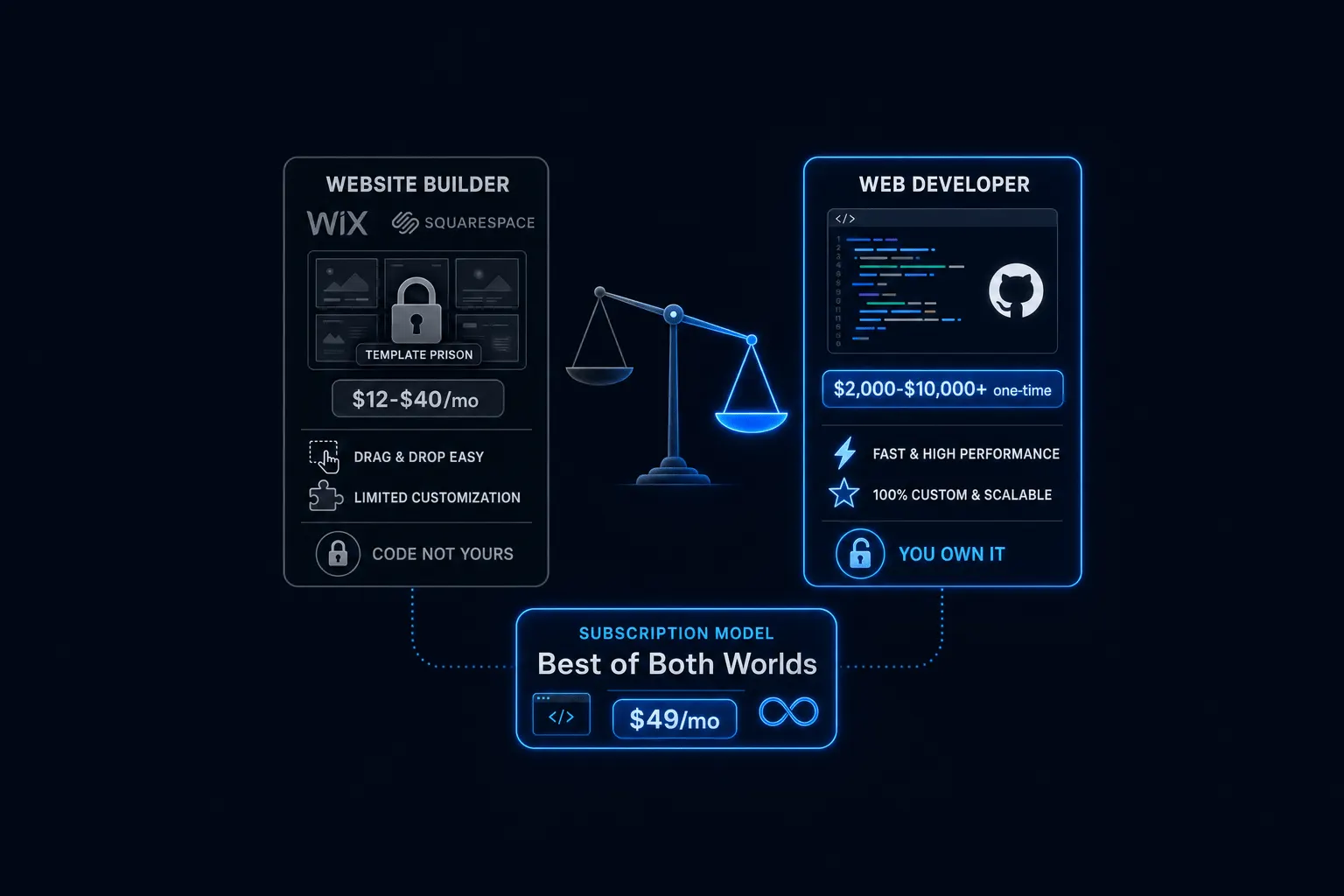
This is where the build path you chose actually matters. An MVP built on a subscription model, with ongoing changes included, can evolve continuously as those signals show up. An MVP built as a one-time agency project usually needs a second “real” project later just to add what you’ve learned, which is a slower and more expensive way to grow the same site.
If you’re still scoping the broader launch, not just the MVP feature list, the full framework, including how to choose who builds it, is in Starting a Business Website: The Complete Launch Guide.
Frequently Asked Questions
What is an MVP website? The smallest version of a site that can validate real demand for your offer, not a rough draft of a bigger site you’re planning to build eventually.
Do I need a blog for my MVP website? No. Add one once you have traffic and a content strategy to support it, not before launch.
How fast can an MVP website actually launch? As fast as a few days for the minimum feature set, assuming your content, headline, offer, and pricing, is ready before the build starts.
What comes after the MVP website? Features added based on real customer feedback and actual requests, not a roadmap you guessed at before you had a single customer.
The Bottom Line
The founders who waste the most time on their MVP website aren’t the ones who cut too much. They’re the ones who never figured out that MVP describes scope, not quality, and kept adding “just one more thing” until launch slipped another month.
Build the homepage, the offer page, and one conversion path. Launch it. Let real customers tell you what to build next.
If you’re ready to scope your MVP website and get it live fast, book a free consultation and we’ll help you figure out exactly what belongs in v1.
Ready to put this into practice? Explore our web design services, view plans & pricing, or book a free consultation — no pressure, just honest advice.