How to Redesign a Website Without Losing Your SEO Rankings
The fear behind almost every redesign-ready business owner I talk to isn’t the design. It’s the traffic. They’ve built years of search rankings and they’re afraid a new site will wipe that out overnight.
That fear is reasonable, and I won’t pretend otherwise. A poorly handled migration can erase years of ranking equity in a matter of weeks. A well-handled one usually causes a small, temporary dip and nothing worse. The difference between those two outcomes comes down to a short list of technical details, not luck.
Key Takeaways: Redesigns don’t lose rankings because of a new design. They lose rankings because of unredirected URLs, deleted content, and blocked indexing. A small, temporary traffic dip in the first month is normal even when everything’s done right; a real collapse means something in the migration was skipped. Map every old URL to its new equivalent with a 301 redirect, keep your best-performing content, and watch Search Console daily for the first few weeks after launch.
If you’re still deciding whether you need a redesign at all, the complete guide to website redesigns for small businesses covers that decision from the start.
What Actually Causes Ranking Loss During a Redesign
It’s almost never the new design itself. Four specific technical mistakes account for nearly all the lasting damage I’ve seen in fifteen-plus years of doing this work.
- Unredirected or changed URLs: every page whose address changes needs a signal telling search engines and visitors where it went.
- Deleted or thinned content: pages that were ranking well and quietly disappear or lose most of their text take their rankings with them.
- Blocked indexing: a staging site left crawlable, or a new site accidentally marked noindex, tells search engines not to show it at all.
- Broken internal links: links pointing to old URLs that now 404 waste the authority your site had already built up.
Cross-referenced research across several 2026 SEO migration guides points to the same pattern: most lasting SEO losses trace back to unredirected URLs, duplicate content, or blocked indexation, not to anything about the new design itself.
The Redirect Rule Almost Nobody Follows
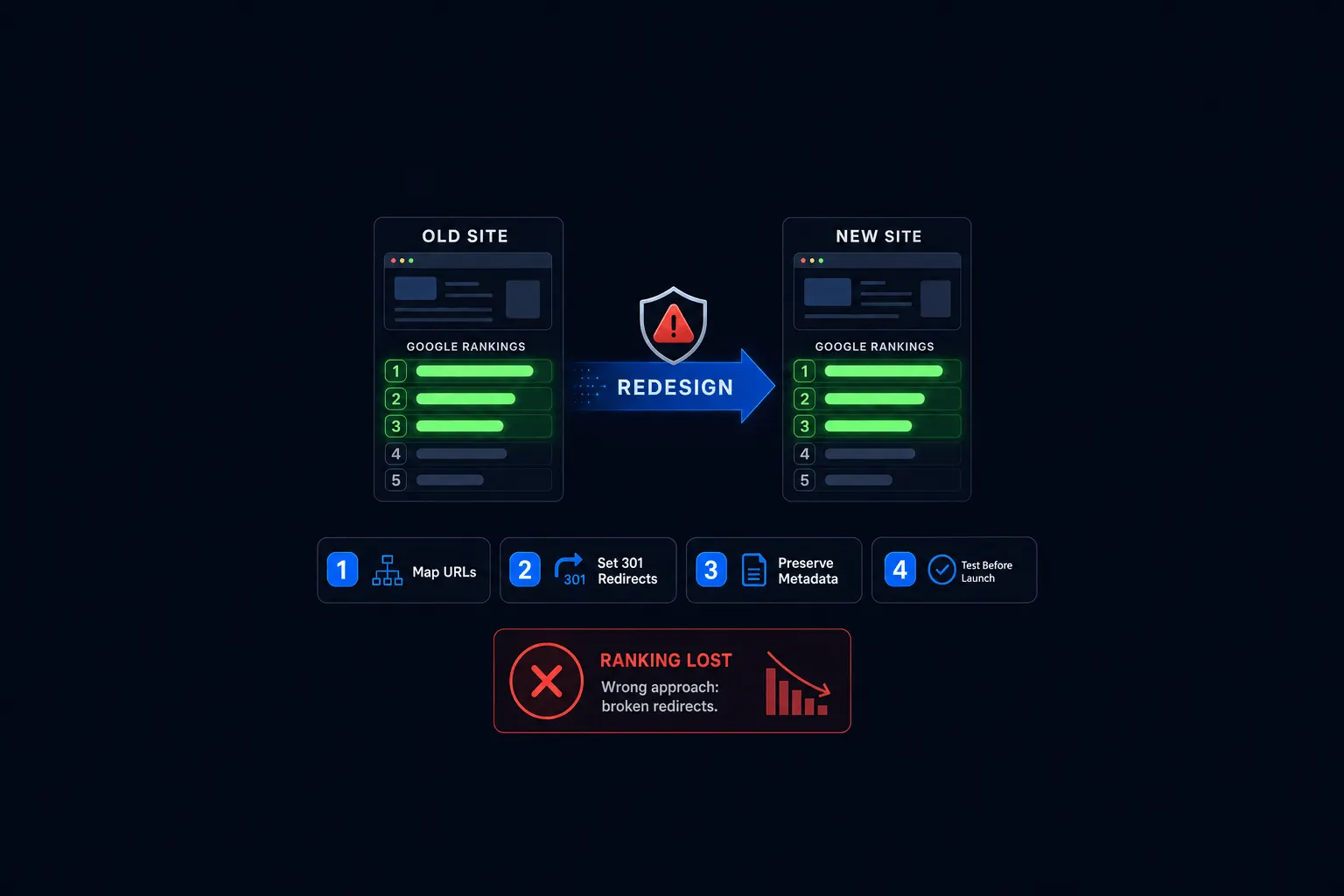
Every old URL that changes needs a 301 redirect mapped to its closest new equivalent. Not a blanket redirect to your homepage, an actual page-to-page match.
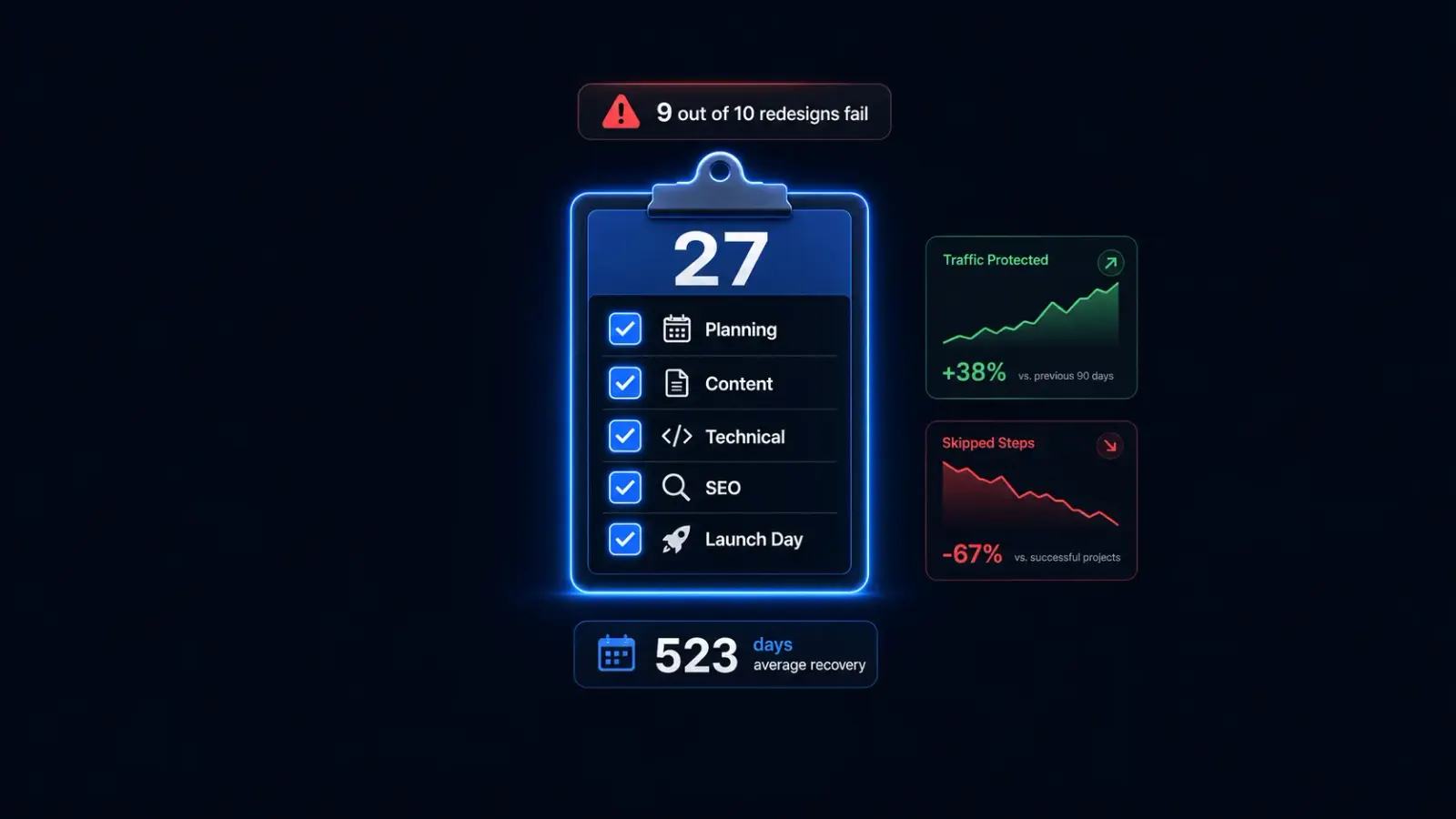
A blanket homepage redirect is the single most common mistake I see, and it’s an easy one to make when you’re rushing to launch. It tells search engines that every old page on your site became your homepage, which erases the specific relevance each of those pages had built up. Mapping redirects properly is step-by-step work, and it’s exactly the kind of detail that’s easy to skip under a launch deadline. The full process is covered in the complete 27-step redesign checklist. I won’t duplicate it here.
A Simple Pre-Launch SEO Checklist
You don’t need all 27 steps memorized to protect your rankings. You need these eight done in order before you launch.
- Crawl and export every current URL on your site.
- Build a 1:1 redirect map from old URLs to new ones.
- Keep the content and keywords on your top-performing pages intact.
- Preserve title tags on pages where rankings are already strong.
- Test every redirect on staging before launch, not after.
- Update and resubmit your sitemap once the new site is live.
- Verify the new site isn’t accidentally blocked from indexing.
- Set a daily Search Console monitoring routine for the first two to three weeks.
For a typical 20-to-50-page small business site, the full process, baseline audit, URL mapping, build, and staging QA, usually takes 8 to 16 weeks. Rushing that timeline is where most of the actual damage happens.
What to Expect After Launch (Even When You Do It Right)
A 10% to 25% dip in traffic during the first 30 days is normal, even for a well-executed migration, and it usually recovers within two to eight months. A drop in the 20% to 50%-plus range signals a real problem, not a need for more patience.
I won’t tell you a redesign carries zero ranking risk, because that wouldn’t be true. What I can tell you: the businesses that lose real rankings are almost always the ones who skipped a redirect map or left a staging site crawlable. It’s rarely the ones who simply built a new design.
How Astrobot Protects Rankings During a Redesign
Every post on this blog links to related pages automatically through a rehype plugin built into the site itself: a real piece of internal-linking infrastructure, not a claim made in a sales deck. That’s the same SEO-aware approach applied to every redesign: internal links, redirects, and indexing get treated as part of the build, not a cleanup task after launch.
That process, plus the checklist above and fifteen-plus years of doing SEO work before I ever built a redesign business, is why I can write this article as plainly as I have. There’s no trick to protecting your rankings, just discipline about the details most people skip.
Frequently Asked Questions
Will I definitely lose rankings if I redesign my website? No, not if the technical migration is handled correctly. Some short-term dip is normal, but it isn’t the same thing as losing your rankings for good.
Do I need to redirect every single page? Every page that changes URL needs a redirect. Pages that keep the exact same URL after the redesign don’t need one.
How long does it take to recover lost rankings? Typically two to eight months for a well-handled migration. It takes longer, sometimes much longer, if redirects were missed or handled incorrectly.
Should I keep the same URLs when I redesign? Keeping your URLs the same avoids redirect risk entirely wherever it’s possible. It isn’t always compatible with a real structural rebuild, so treat it as a preference, not a requirement.
The Bottom Line
A website redesign doesn’t have to cost you your search rankings. It costs you rankings when the technical details, redirects, indexing, content preservation, get treated as an afterthought instead of a real phase of the project. Handle those details, expect a small temporary dip, and you’ll come out the other side with a better site and the traffic you started with.
If redirects and indexing risk are the only thing standing between you and a redesign you’ve already decided you want, get a redesign quote and I’ll walk you through exactly how the migration gets handled. Still have questions first? Book a consult instead.
Ready to put this into practice? Explore our web design services, view plans & pricing, or book a free consultation — no pressure, just honest advice.