Website Redesign Checklist: 27 Steps Before You Relaunch
Most small business owners skip critical steps during a website redesign checklist. They launch the new site, then watch their Google rankings disappear. Contact forms break. Pages load slower than before. Traffic drops by half.
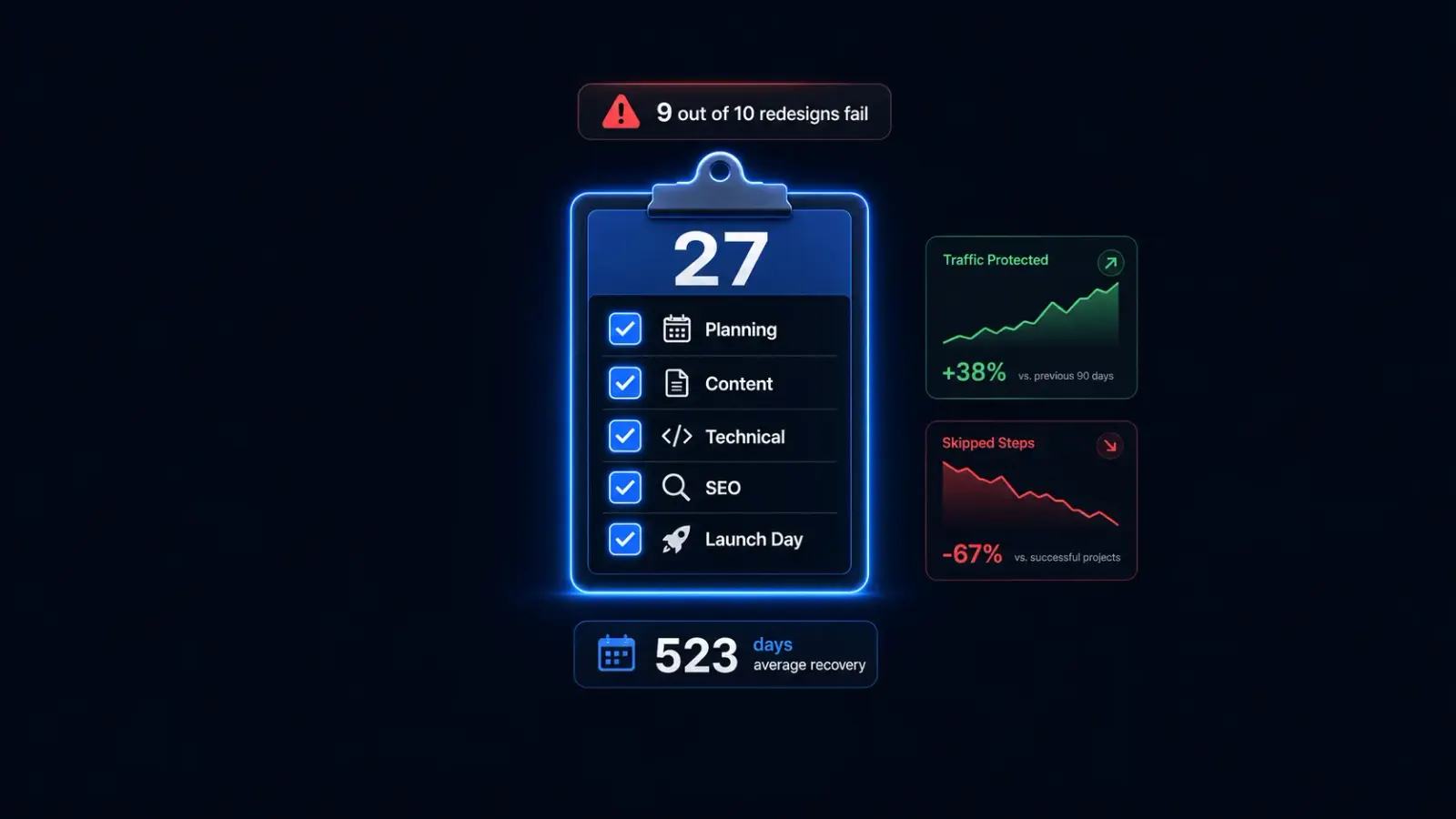
The numbers tell the story. In many cases 1 in 10 website migrations improve search rankings. The other nine fail. Average recovery time is over 500 days. That’s 500 days of revenue loss. That’s 500 days of less money coming in to your family.
You can avoid this though. I’ve personally spent over 15 years in SEO, and I know what can happen when business owners hire designers who don’t understand search. That’s why we founded Astrobot—as entrepreneurs helping other entrepreneurs. A good professional website redesign follows a system. This checklist covers everything from planning through launch day. No guesswork. No crossed fingers.
Here’s what happens when you do it right: 80-90% of your traffic and rankings stay intact. Your site loads faster. Forms work. Customers find what they need.
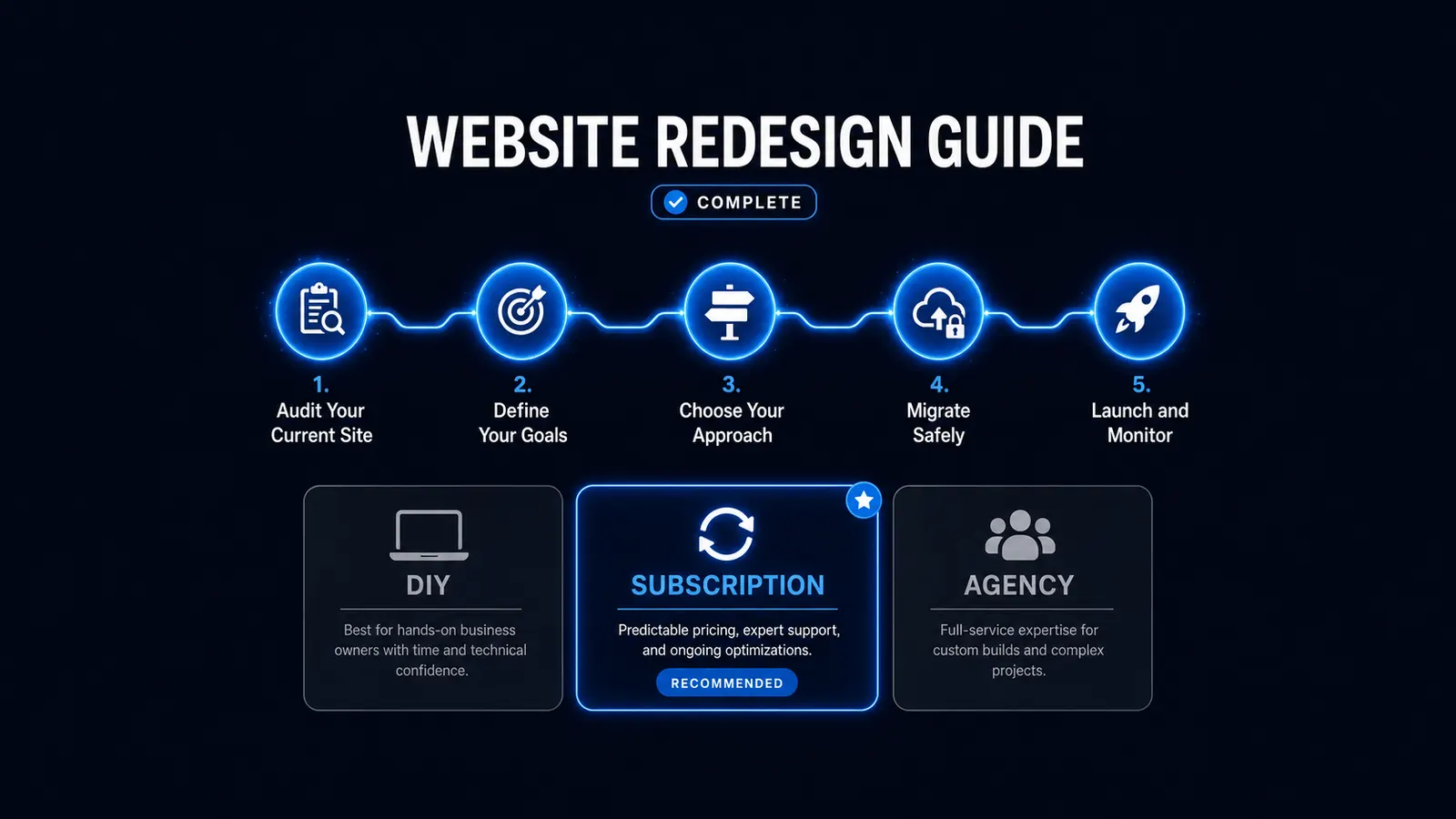
This is your complete website redesign checklist. 27 steps. Nothing falls through the cracks.
Before You Start: Planning Your Redesign (Site Redesign Checklist)
Step 1: Define why you’re redesigning
Write down the real reason you’re doing this. Like your site loads in 8 seconds and sites over 3 seconds lose 53% of mobile visitors. Write it down. You get zero leads from your contact form, the design looks like 2010, your platform can’t handle the features you need now. Whatever it is, make sure you understand it and you’re clear about it.
Be specific. “Make it better” is not a reason. “Cut load time to under 2 seconds” is a reason.
Step 2: Set measurable goals
Pick 2-3 numbers you want to move. Load time under 2 seconds. Contact form submissions up by 50%. Mobile conversion rate above 2%.
Right now, the average website converts 2.35% of visitors. Top performers hit 5-11%. For small business service sites, 3% on form submissions is strong. Mobile converts at just 1.82% compared to 3.14% on desktop. That 42% gap signals poor mobile experience.
Each one-second delay in page load time reduces user satisfaction by 16%. A site that loads in one second makes 30.5 sales per 1,000 visitors. A site that loads in five seconds makes 10.8 sales.
Write your numbers down. You’ll check them after launch.
Step 3: Audit your current site
Open Google Analytics. Look at the last 90 days. Which pages get the most traffic? Which pages convert visitors into customers?
Almost 75% of users don’t go past the first search results page. If you’re ranking on page one for certain terms, you need to protect those pages during the redesign.
Make a spreadsheet. List every page. Note the traffic. Note the conversions. You’ll need this data for step 4.
Step 4: Decide what content to keep, rewrite, or cut
Look at your spreadsheet from step 3. Pages with high traffic stay. Pages with high conversions stay. Pages with both definitely stay.
Pages with zero traffic and zero conversions? Cut them. Pages with decent traffic but terrible content? Rewrite them.
Most small business sites have 20-30 pages. After this audit, you’ll probably keep 10-15 and rewrite 5-10.
Step 5: Gather your branding assets
Find your logo files. Vector formats work best (SVG, EPS, AI). Get your brand colors as hex codes. Find your fonts.
94% of first impressions are design-driven. Users form that impression in under a tenth of a second. Your branding assets need to be clean, professional, and ready to use.
Step 6: Set a realistic timeline
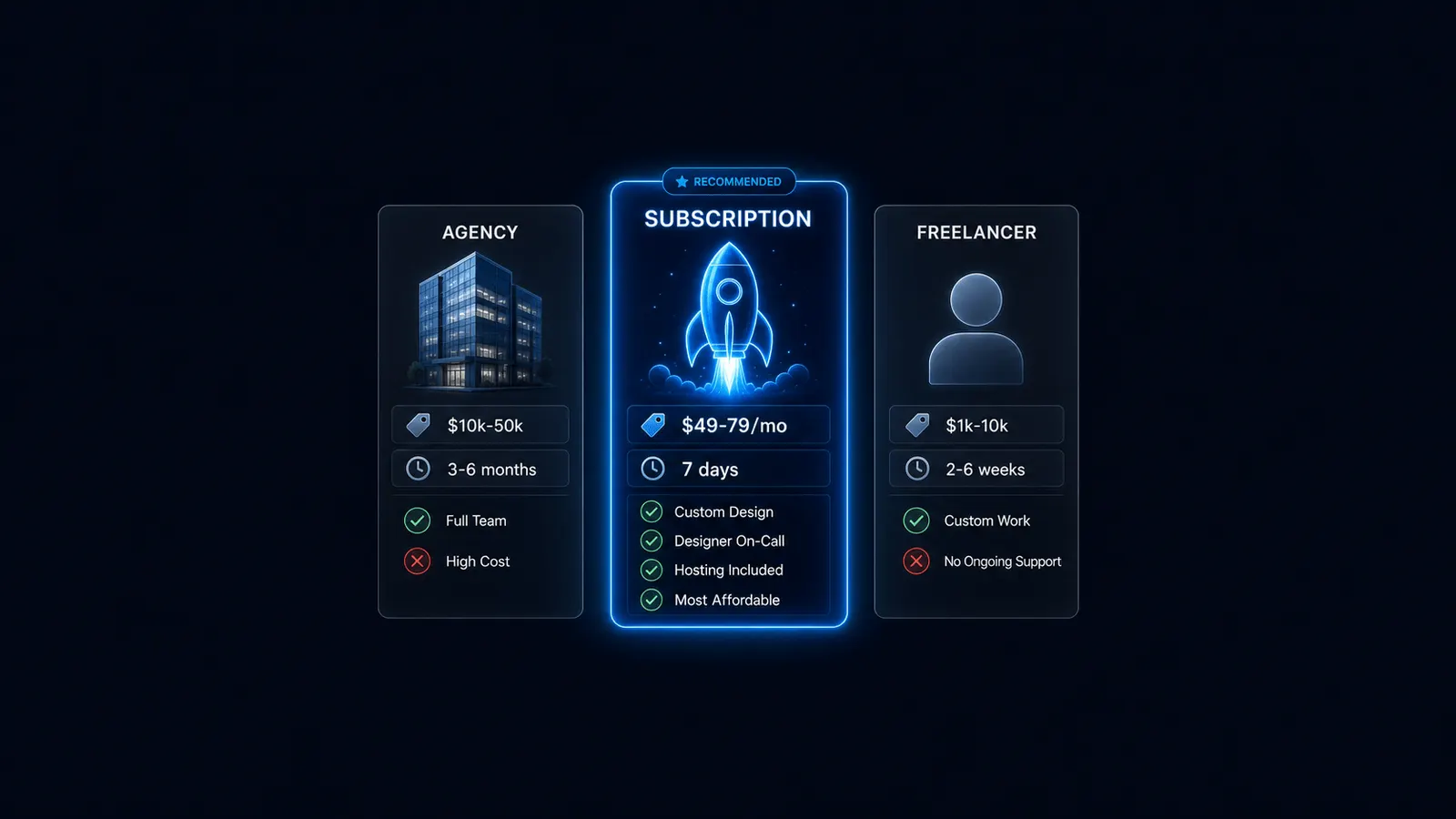
Professional redesign takes about 7 days from start to launch, That’s here in the house of Astrobot. Other agencies, you’re probably looking at least a month. Out 7 day launch includes design meetings, development, and testing. DIY redesigns take 4-8 weeks if you’re doing it yourself.
Add buffer time. Things always take longer than you think. If you’re planning to launch by a specific date, start at least two weeks before that date.
Whether you’re redesigning or launching a brand new site, SEO needs to be part of the conversation from day one. Too many businesses treat SEO as an afterthought—something to “add later.” By then, it’s too late. The site structure is wrong. The URLs are wrong. The whole thing needs to be rebuilt.
Content and Copy
Step 7: Write or update your homepage headline and subheadline
Your homepage headline answers one question: what do you do? Your subheadline answers: how does that help me?
Bad headline: “Welcome to Our Website”
Good headline: “Custom Plumbing Repairs in Under 2 Hours”
Your customer is the hero of this story. You’re the guide. Your headline positions them as the hero with a problem. Your subheadline positions you as the guide with a solution.
Step 8: Confirm your service pages are accurate and complete
Each service you offer needs its own page. Plumbing companies offer drain cleaning, water heater repair, pipe replacement. Each service gets a dedicated page.
Check that every service page includes: what the service is, who it’s for, how long it takes, what it costs (or a range), and how to book it.
Step 9: Gather testimonials or case studies
Find 5-10 customer testimonials. Get permission to use them. Include the customer’s name and location if possible.
Testimonials work because they show proof. Your customer sees someone like them who got results. That reduces risk and builds trust.
Step 10: Write new meta titles and meta descriptions for every page
Meta titles show up in Google search results. They’re 50-60 characters. Meta descriptions are 150-160 characters.
Your meta title should include your primary keyword and your location if you’re a local business. Your meta description should explain what the page offers and include a call to action.
Example meta title: “Emergency Plumbing Repair | Denver, CO | 24/7 Service”
Example meta description: “Need a plumber fast? We fix leaks, clogs, and water heater problems in under 2 hours. Call now for same-day service in Denver.”
Step 11: Check all photos
Images account for 78% of a webpage’s total weight. The average page contains 21 images totaling 1.9 MB. Low-res images hurt load speed and credibility.
Use high-quality photos. Compress them before uploading. Tools like TinyPNG or ImageOptim reduce file size without losing quality.
Step 12: Decide whether to keep your blog posts or archive them
If your blog posts get traffic, keep them. If they’re outdated or irrelevant, archive them or delete them.
Companies with 30 or more landing pages generate 7x more leads than businesses with fewer than 10. More content helps, but only if it’s good content.
Technical Prep (Web Redesign Checklist)
Step 13: Export a full list of your current URLs
You need every URL on your current site. Every page. Every blog post. Every service page.
Use a tool like Screaming Frog or Sitebulb. Export the list to a spreadsheet. You’ll use this in step 14.
Only 33% of websites pass all three Core Web Vitals metrics. The pass rate has improved from 22% in 2021 to 33% in 2026, but two-thirds of the web still needs work.
Step 14: Map old URLs to new URLs
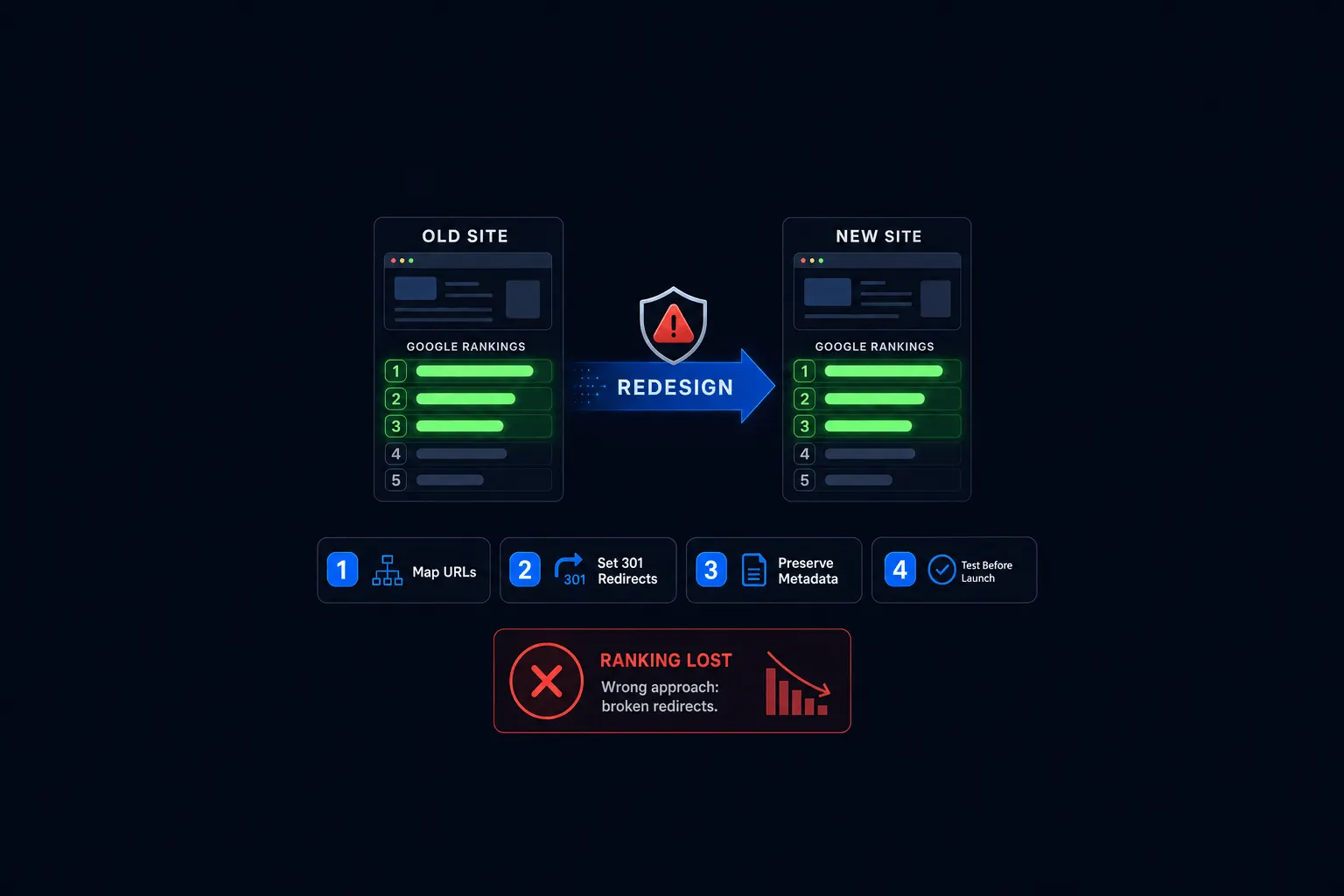
If a URL changes, you need a 301 redirect. This is the most common failure during redesigns.
Missing 301 redirects means search engines lose backlinks, rankings, crawl patterns, and user signals. One large retailer lost approximately $5 million in the first month when their IT consultants rejected URL redirect recommendations.
This is where SEO training matters. All of our designers at Astrobot are trained in SEO because we’ve learned the hard way what happens when you skip this step. A beautiful site that loses all its rankings isn’t a successful redesign—it’s a business disaster.
Open your spreadsheet from step 13. Add a column for new URLs. Map every old URL to its new destination. If you’re keeping the URL the same, note that too.
Redirect chains slow performance. A redirect chain forces browsers to make multiple requests before reaching the final destination. Avoid them.
Step 15: Screenshot your current Google Analytics or Search Console data as a baseline
Take screenshots of your traffic, rankings, and conversion data. You’ll compare these numbers after launch to see if anything dropped.
Most sites recover SEO within 3-6 months after a redesign, but only if problems are identified and fixed quickly.
Step 16: Confirm your new site will be mobile-responsive
Test on iPhone and Android. Check that buttons work. Check that text is readable without zooming. Check that forms are easy to fill out.
Mobile converts at 1.82% compared to 3.14% on desktop. That gap exists because most small business sites have poor mobile experiences.
Step 17: Check that your new platform handles SSL automatically
Your site needs https, not http. SSL certificates encrypt data between your site and your visitors. Google prioritizes secure sites in search rankings.
Most modern platforms handle SSL automatically. Confirm this with your designer or developer.
Step 18: Verify your contact forms, booking tools, or checkout will carry over
Test every form before launch. Fill it out. Submit it. Confirm you receive the email or notification.
Broken forms are the fastest way to lose customers. They fill out the form, hit submit, and nothing happens. They leave and never come back.
SEO Checklist for Website Redesign
Step 19: Preserve your best-performing page URLs wherever possible
If a page ranks well and gets traffic, keep the URL the same. Changing URLs without a good reason adds risk.
Sometimes you need to change URLs for technical reasons or better structure. That’s fine. Just make sure you set up 301 redirects in step 20.
Step 20: Set up 301 redirects for every URL that changes
This is critical. Missing 301 redirects is the number one reason redesigns fail.
I can’t stress this enough. In my 15+ years of SEO work, missing 301 redirects is the single most expensive mistake I’ve seen small business owners make. This is why we train every designer at Astrobot in SEO fundamentals—because design without SEO strategy breaks businesses.
Use your spreadsheet from step 14. Set up a 301 redirect for every URL that changes. Test each redirect after launch.
If you want to redesign without losing SEO, this step is non-negotiable.
Step 21: Rewrite title tags and meta descriptions on the new site
Don’t copy the old ones blindly. Use this opportunity to improve them.
Your title tag should include your primary keyword and your location if relevant. Your meta description should include a call to action.
Step 22: Submit your new sitemap to Google Search Console after launch
Your sitemap tells Google which pages exist on your site. Submit it through Google Search Console within 24 hours of launch.
This speeds up indexing. Google finds your new pages faster.
Step 23: Check that your H1 tags are unique on every page
Each page needs one H1 tag. That H1 should be unique and describe what the page is about.
Your homepage H1 might be “Custom Plumbing Repairs in Under 2 Hours.” Your drain cleaning page H1 might be “Professional Drain Cleaning Services.”
Unique H1 tags help search engines understand what each page covers.
Launch Day
Step 24: Do a final review on mobile before going live
Open your new site on your phone. Click every link. Fill out every form. Check that images load. Check that text is readable.
This is your last chance to catch problems before customers see them.
Step 25: Confirm DNS cutover plan with your designer or developer
DNS cutover is when you point your domain to the new site. This process can take 24-48 hours to fully propagate.
Confirm the plan with your designer or developer. Know exactly when the switch happens and what to expect.
Astrobot handles DNS cutover, 301 redirects, and SEO rebuild as part of every redesign. We built this company as entrepreneurs who understand what’s at stake. Every one of our designers is trained in SEO because we know that great design means nothing if your customers can’t find you. The process takes 7 days from start to finish, and redesigns start at $499.
Step 26: Test every form and link after launch
Once the new site is live, test everything again. Fill out contact forms. Click internal links. Check that external links work.
Catch any issues within the first hour. The faster you fix problems, the less impact they have.
Step 27: Monitor Google Search Console for crawl errors in the first 72 hours
Log into Google Search Console. Check for crawl errors. Check for 404 errors. Check that your sitemap was processed.
Fix any errors immediately. Most enterprise sites recover SEO within 3-6 months, but only if problems are identified and fixed quickly.
What Happens If You Skip Steps
Skipping steps costs you money. Real money. Measurable money.
As someone who’s been doing SEO for over 15 years, I’ve watched too many small businesses hire talented designers who had zero SEO training. The site looked beautiful. The rankings disappeared. The business suffered.
That’s why we started Astrobot differently. We’re entrepreneurs who built a company to help other entrepreneurs succeed—not just look good. Every designer on our team is trained in SEO. Because in the end, your website exists to grow your business, not just sit there looking pretty.
Skip step 14 and 20 (301 redirects) and you lose 50% of your traffic. Skip step 11 (image optimization) and your site loads in 8 seconds instead of 2 seconds. You lose 50% of mobile visitors before they see your content.
Skip step 18 (test forms) and customers fill out your contact form, hit submit, and nothing happens. They leave. They call your competitor.
Skip step 3 (audit current site) and you delete pages that were driving leads. You don’t know which pages to protect. You guess.
Each skipped step compounds. One missed redirect becomes ten missed redirects. One broken form becomes three broken forms. One slow-loading image becomes twenty slow-loading images.
The cost adds up fast. Lost rankings. Lost traffic. Lost leads. Lost revenue.
This website redesign checklist exists because these failures are common. Nine out of ten redesigns fail. They skip steps. They rush. They guess.
You don’t have to guess. Follow the checklist. Protect your traffic. Protect your rankings. Launch a site that works.
Ready to put this into practice? Explore our web design services, view plans & pricing, or book a free consultation — no pressure, just honest advice.