The Complete Guide to Website Redesigns for Small Businesses
I’ve spent over twenty years building and rebuilding WordPress sites for small businesses. One question comes up more than any other: is my site actually due for a redesign, or am I just tired of looking at it? Most of what’s written about this topic answers only a slice of that question. One article covers cost, another covers warning signs, a third covers SEO risk. You end up piecing together five different searches just to make one decision.
This guide puts the whole decision in one place. It covers how to know it’s time, what a redesign actually costs across every option from DIY to agency, and the process that keeps you from losing search traffic. It also covers how to tell whether the investment paid for itself. Where a question deserves a deeper answer than fits here, I’ll link you to the full post.
Key Takeaways: A redesign makes sense when your site is slow, hard to update yourself, or quietly losing you customers, not on a fixed calendar schedule. Most small business redesigns run in the low thousands and take between six and sixteen weeks. This guide walks through the signs, the real cost ranges, the checklist that protects your search rankings, and how to measure whether the whole project was worth it.
How Do You Know It’s Time for a Redesign?
The fastest tell isn’t that your site “looks old.” It’s whether people can actually use it. Site speed and mobile experience matter more to a visitor’s decision to stay or leave than the color palette or the font you picked five years ago.
Three signs matter most. First, load time: a meaningful share of mobile visitors abandon a page that takes more than three seconds to load, a figure that’s been repeated across Google-sourced industry data for years now. Second, mobile breakage: if your site was built before mobile-first design was standard, it’s probably harder to use on a phone than you realize, and most of your traffic is on a phone. Third, whether you can update it yourself: if every text change requires a developer, you’re not really running your own website; you’re renting access to someone else’s. For the complete list, including three signs your site is actually fine as-is, read the full breakdown of 7 signs you need a new website (and 3 signs you don’t).
Redesign or Just a Refresh?
If your platform and site structure still work and only the surface feels stale, you need a refresh, not a full redesign. A refresh means new colors, updated photos, refreshed copy, sometimes a few hundred dollars and a weekend. A redesign means rebuilding the structure, the navigation, or the platform itself, and it runs anywhere from a few hundred dollars DIY to well into five figures with an agency.
The distinction matters because it changes your budget and your risk by an order of magnitude. Spend a redesign budget on what’s actually a refresh problem and you’ve wasted money. Try to refresh your way out of a structural problem and you’ll be back here again in six months. This post walks through exactly how to tell the two apart.
How Much Does a Website Redesign Actually Cost?
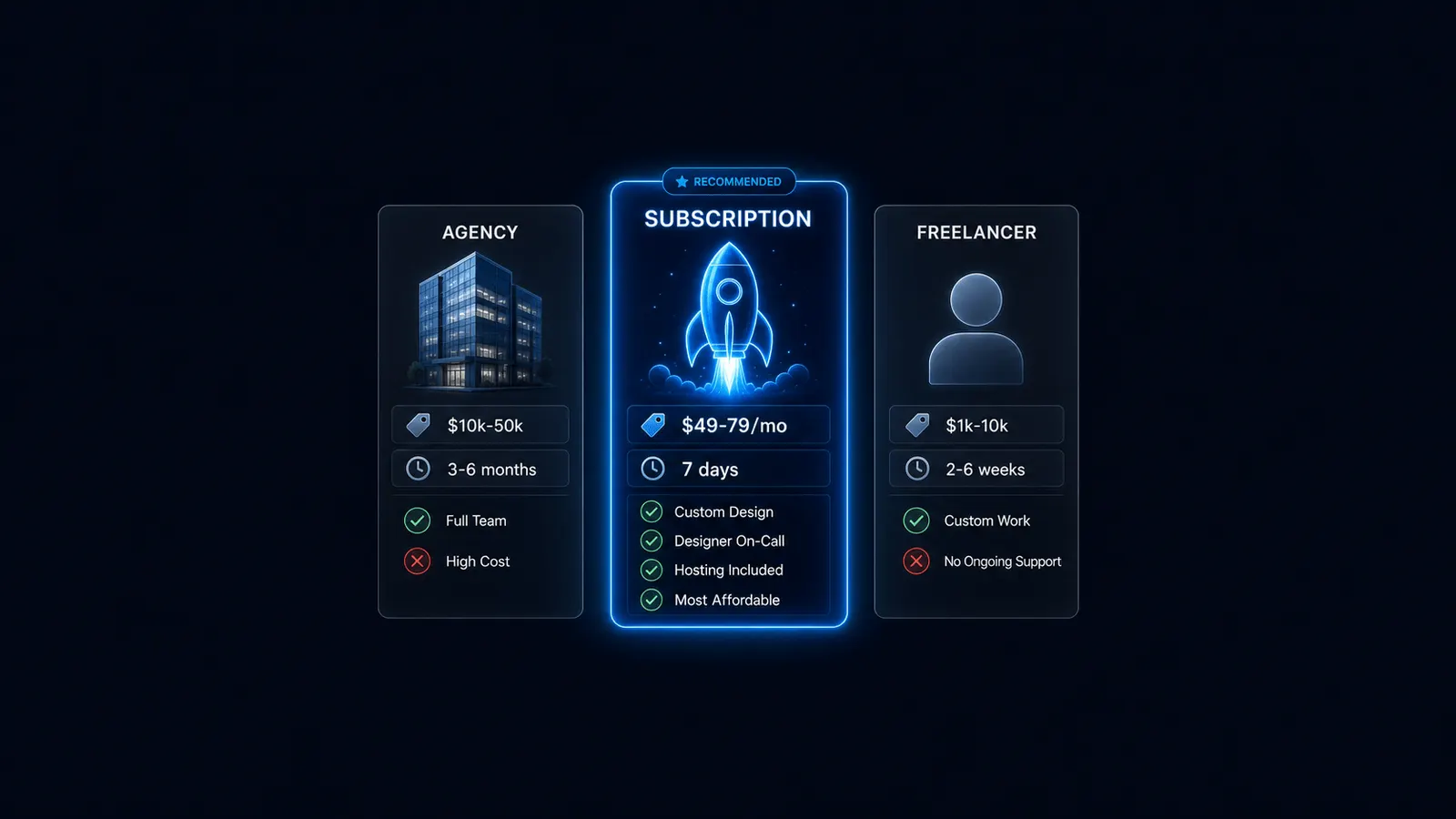
Cost depends entirely on who does the work. DIY runs $0 to $500 if you’re willing to spend the time learning a builder yourself. A freelancer typically runs $500 to $5,000. An agency runs $3,000 to $15,000 or more, depending on scope and how many people touch the project. A subscription service sits in between: often $499 to $799 upfront, then a flat monthly rate, commonly $49 to $79 a month, for ongoing changes and maintenance.
| Option | Typical Cost | Best For |
|---|---|---|
| DIY | $0-$500 | Simple sites, time-rich but budget-limited owners |
| Freelancer | $500-$5,000 | Defined scope, direct communication |
| Agency | $3,000-$15,000+ | Complex or mission-critical projects |
| Subscription | $499-$799 upfront, $49-$79/mo ongoing | Ongoing maintenance without a big upfront bill |
Most small business redesigns land in the $2,000 to $10,000 range once you factor in the full scope of a real rebuild, not just a template swap. For the full breakdown of what drives cost up or down inside each option, see the full cost article with real numbers.
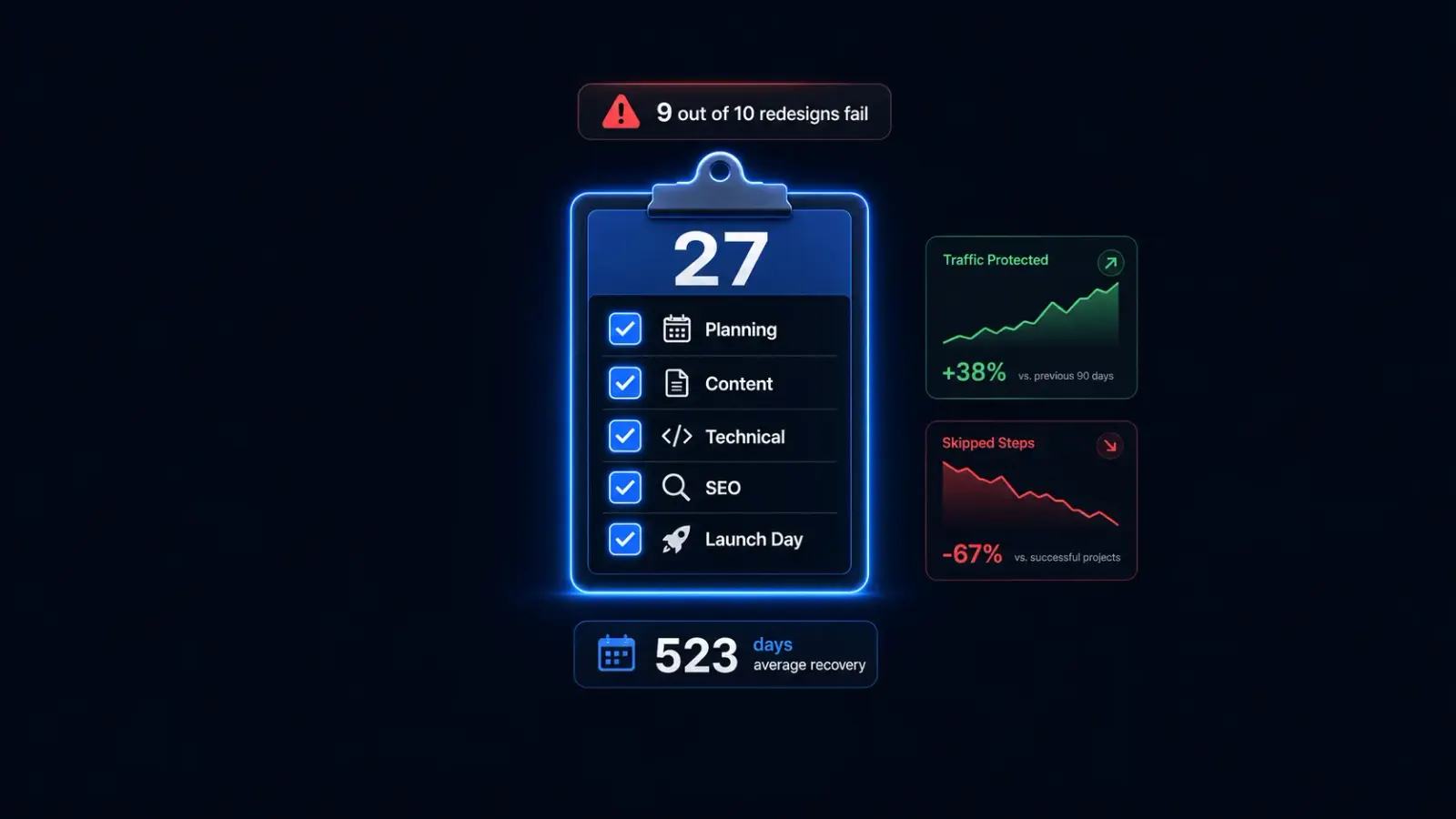
The 27-Step Checklist That Keeps You From Losing Traffic
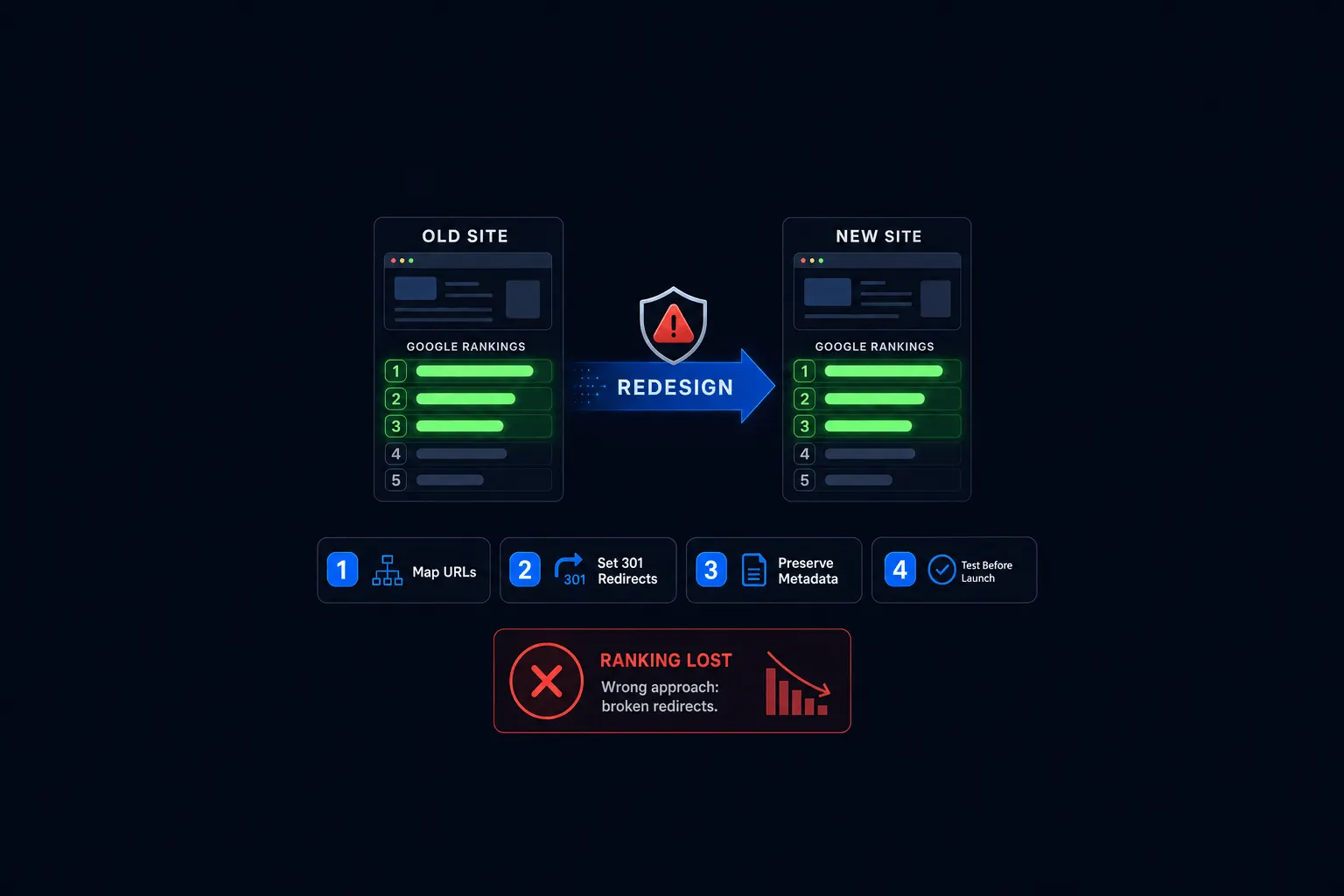
Most redesigns that lose search rankings skip planning and redirect steps, not design steps. The actual visual rebuild is rarely what tanks your traffic. Failing to map your old URLs to your new ones is the real culprit.
The full process breaks into four phases. Plan: audit your current site and set clear goals before anyone touches a design file. Build: develop the new site on a staging environment, never live. Pre-launch QA: test every redirect and every internal link before you flip the switch. Post-launch monitoring: watch Search Console daily for the first few weeks after launch.
You’ll sometimes see a claim that only a small fraction of website migrations improve search rankings, with recovery times stretching past a year. I’d rather point you toward a real, sourced benchmark than repeat an unverified number here. What I can tell you from two decades of doing this work: the redesigns that hold their rankings are the ones that treat redirects as a first-class step, not an afterthought. The full 27-step checklist walks through every step in each phase.
Will It Pay for Itself? The ROI Framework
Three numbers turn “will this be worth it” from a guess into a calculation: your current monthly leads, your average customer value, and the conversion-rate lift you can reasonably expect from a better site. Multiply the lift by your traffic and your customer value, and you have a real number to compare against the redesign’s cost.
The average website converts around 2.35% of its visitors into a lead or sale; the best-performing small business sites hit 5% to 11%. That gap, applied to your own traffic and average sale, is usually where the ROI case gets made or lost. The full ROI framework walks through the math with worked examples.
How Often Should You Actually Redesign?
There’s no universal fixed schedule, and I’d be skeptical of anyone who tells you otherwise. Performance and conversion data should trigger the decision, not a date on the calendar. That said, most small, local businesses land in a two-to-four-year cycle in practice, longer than the pace SaaS companies keep, shorter than most owners assume.
A frequently cited HubSpot survey figure puts the share of marketing leaders who redesign every one to three years at 71%. That figure comes from marketing-heavy organizations, not local service businesses, so treat it as a ceiling, not a target.
Several independent agency sources converge on a similar split. SaaS companies typically redesign every 18 to 24 months because their product and market move fast. Local businesses with a stable service offering often stretch to three to five years between full redesigns. If you’re a plumber, a therapist, or a shop owner, you’re almost certainly in the second group, not the first.
How to Redesign Without Losing Your SEO Rankings
This is the fear that stalls out more redesign-ready buyers than any other objection I hear, and it’s a reasonable one. The good news: most lasting ranking loss traces back to a handful of avoidable technical mistakes, not to the redesign itself.
The short version: map every old URL to its closest new equivalent with a proper redirect. Don’t delete content that’s actually earning you traffic. Make sure your new site isn’t accidentally blocked from being indexed before launch. A modest, temporary dip in traffic during the first month is normal even when everything’s handled correctly. We cover the full SEO-safe migration process, including the exact pre-launch checklist, in a dedicated guide later this month.
Agency, Freelancer, or Subscription: Who Should Actually Do the Work?
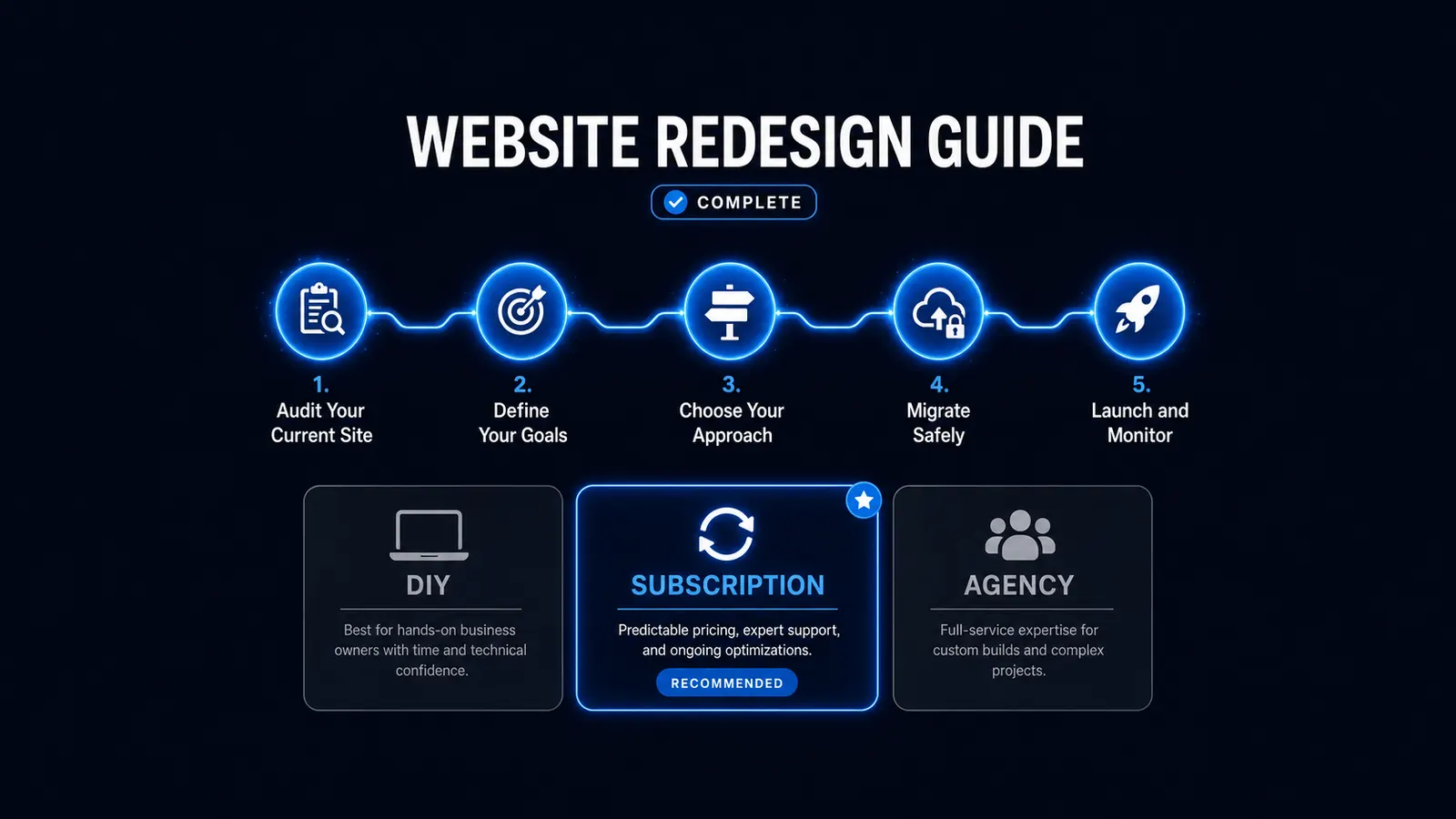
Cost and risk trade off differently across the three main ways to get a redesign done, and there’s no universally right answer, only a right fit for your scope and budget. An agency costs the most but spreads the risk across a team. A freelancer costs less but puts the whole project on one person’s shoulders. A subscription trades a big upfront bill for an ongoing flat fee, though the tier you pick matters more than most comparisons admit.
We break down the real cost, delivery, and risk differences across all three in a dedicated comparison later this month. That includes the tier confusion that sends a lot of local business owners toward subscription plans priced for funded startups instead of businesses their size.
What Astrobot’s Redesign Process Looks Like
Astrobot runs two flat-rate plans, Orbit and Supernova, built around the same checklist referenced above, not a stripped-down marketing version of it. Pricing is published, not quoted after a sales call, and every redesign follows the same plan-build-QA-monitor structure regardless of which plan you’re on.
That’s the whole point of writing this guide this way. The process that protects your rankings and your investment isn’t a secret. It’s a checklist, and you deserve to see it before you commit to anyone, including us.
Frequently Asked Questions
How long does a website redesign take? Most small business redesigns run six to sixteen weeks from kickoff to launch, depending on scope and who’s doing the work. A subscription-based redesign on a defined plan tends to land on the faster end. A custom agency build with multiple rounds of revisions tends to land on the slower end.
Do I need to redesign my whole site, or can I just update parts of it? If your structure and platform are solid and only the look feels dated, that’s a refresh question, not a redesign question. See the section above for how to tell the two apart.
Will a redesign hurt my SEO? Not if the technical migration is handled correctly. Most ranking loss traces to unredirected URLs and deleted content, not the new design itself. A small, temporary dip in the first month is normal and usually recovers within a couple of months.
How do I know if a redesign is actually worth the money? Run the three-variable ROI framework above: your current monthly leads, your average customer value, and a realistic conversion-rate lift. That turns the decision into a number instead of a guess.
What’s the cheapest way to redesign a website? DIY, using a builder yourself, or a refresh rather than a full rebuild, if your structure is sound. Both save money, but they cost you time and come with real limitations. Cheapest isn’t always the same as best fit.
The Bottom Line
A website redesign isn’t a decision that needs a fixed schedule or a perfect moment. It needs a real answer to a few specific questions: is your site actually losing you business, what would fixing that cost across your realistic options, and would the fix pay for itself. Everything in this guide exists to help you answer those three questions honestly, including the parts where the honest answer is “not yet.”
If you’ve worked through this guide and you’re ready to see what a redesign would actually cost for your specific site, get a redesign quote or book a consult to talk through your options first.
Ready to put this into practice? Explore our web design services, view plans & pricing, or book a free consultation — no pressure, just honest advice.