Done-for-You Website: What It Means and What to Check
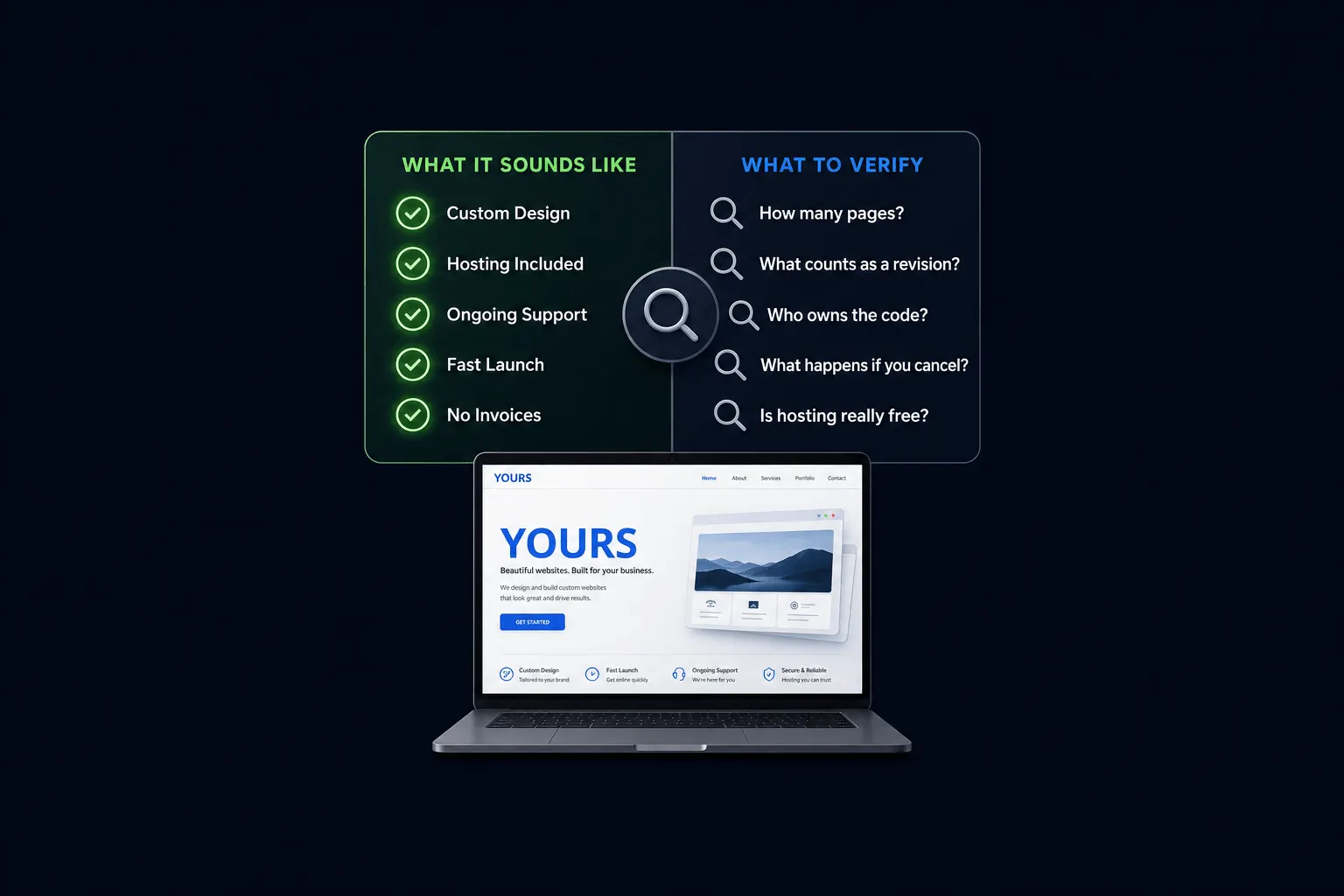
“Done-for-you website” doesn’t mean one consistent thing. I’ve seen it used for a fully owned, finished site ready to launch, and I’ve seen it used for a rented template with a one-time setup fee and an ongoing platform charge you didn’t notice at first. Vendors rarely clarify which one they mean, and that’s the actual problem.
There’s no industry standard defining what “done-for-you” has to include. That leaves the term basically meaningless until you check it against something concrete, which is what this post is for. For the broader picture of how pre-built websites work generally, see the complete buyer’s guide.
Key Takeaways: “Done-for-you website” should mean a complete, working site you fully own, not a rented template or a bare-bones setup missing hosting and support. Before buying from anyone, verify ownership rights, that there are no orphaned or unlicensed dependencies, and that the SEO setup is clean. This applies to any vendor, not just Astrobot.
What “Done-for-You Website” Should Mean
A done-for-you website should mean a complete, working site, design, build, and often hosting setup, delivered ready to launch, with you owning the result. Not renting access to it, owning it.
What it sometimes actually means in the market is narrower: a template with your logo swapped in, or a “setup service” that still leaves you paying an ongoing platform fee for a site you never actually own outright. Both of those get marketed with the same phrase, and only one of them matches what a buyer usually expects when they hear it.
The Checklist: What to Verify Before You Buy
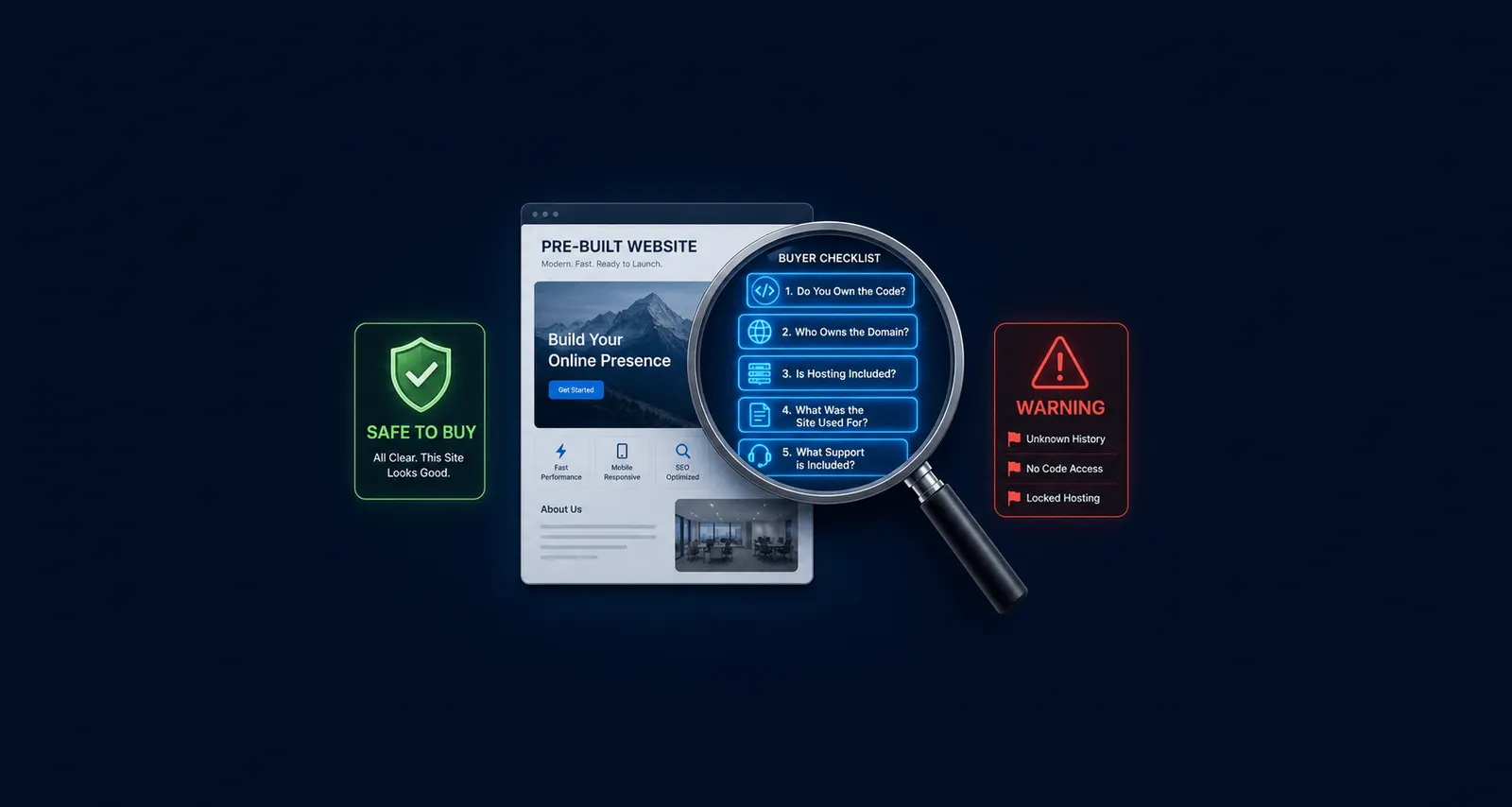
Ownership. Do you receive the actual code and files, or a login to a platform you don’t control?
No orphaned dependencies. Are the themes, plugins, and licenses actually transferable and currently supported, or will you inherit outdated, unlicensed pieces you didn’t know were there?
Clean SEO setup. Is this a fresh build with no history to worry about, or does it come with an existing domain that needs a history check?
Confirming legal ownership of the domain and code is the first recommended step across buyer due-diligence guides in this space, including Flippa’s checklist and TheWebsiteFlip’s framework. Inheriting outdated themes or unlicensed bespoke plugins is a named, concrete risk in that same due-diligence content, not a hypothetical one; it can mean costly rework down the line if you don’t catch it before you pay.
Red Flags That Mean You Should Walk Away
- The vendor won’t clearly say whether you own the code.
- There’s no documentation of what platform or stack the site is built on.
- The vendor is reluctant to say what happens if you want to leave the platform later.
Any one of these is worth pausing on. All three together is a clear signal to look elsewhere.
How Astrobot’s Listings Address Each of These
Ownership: you own the code outright on Astrobot’s marketplace listings, not a rented license. No orphaned dependencies: these are fresh builds, not inherited legacy stacks carrying someone else’s technical debt. Clean SEO: listings launch on a new domain you register yourself, so there’s no prior penalty or history baggage to inherit.
I’ll be straightforward about the limit of that claim: this reflects what the marketplace copy and the underlying build process indicate, not a line-by-line legal review of every purchase agreement. If a specific term matters to your decision, hosting terms, support scope after launch, ask directly before you buy. That’s good practice with any vendor, not a knock against this one.
Frequently Asked Questions
Is “done-for-you” the same as a template? No. A template is a design shell you still have to build out. Done-for-you should mean a finished, working product, and if a vendor’s version is really just a template, ask them to say so plainly.
Do I own the site after I buy it, or am I renting it? It should always mean ownership. If a vendor doesn’t say so upfront, ask directly, before you pay, not after.
What if the vendor built it on an outdated platform? Check before you buy. Ask what stack it’s built on and whether it’s actively maintained, the same question you’d ask about any piece of software you’re about to depend on.
Does a done-for-you site come with SEO risk? Only if it’s built on an existing domain with history. A fresh-build site on a new domain doesn’t carry that risk, because there’s no history yet to inherit.
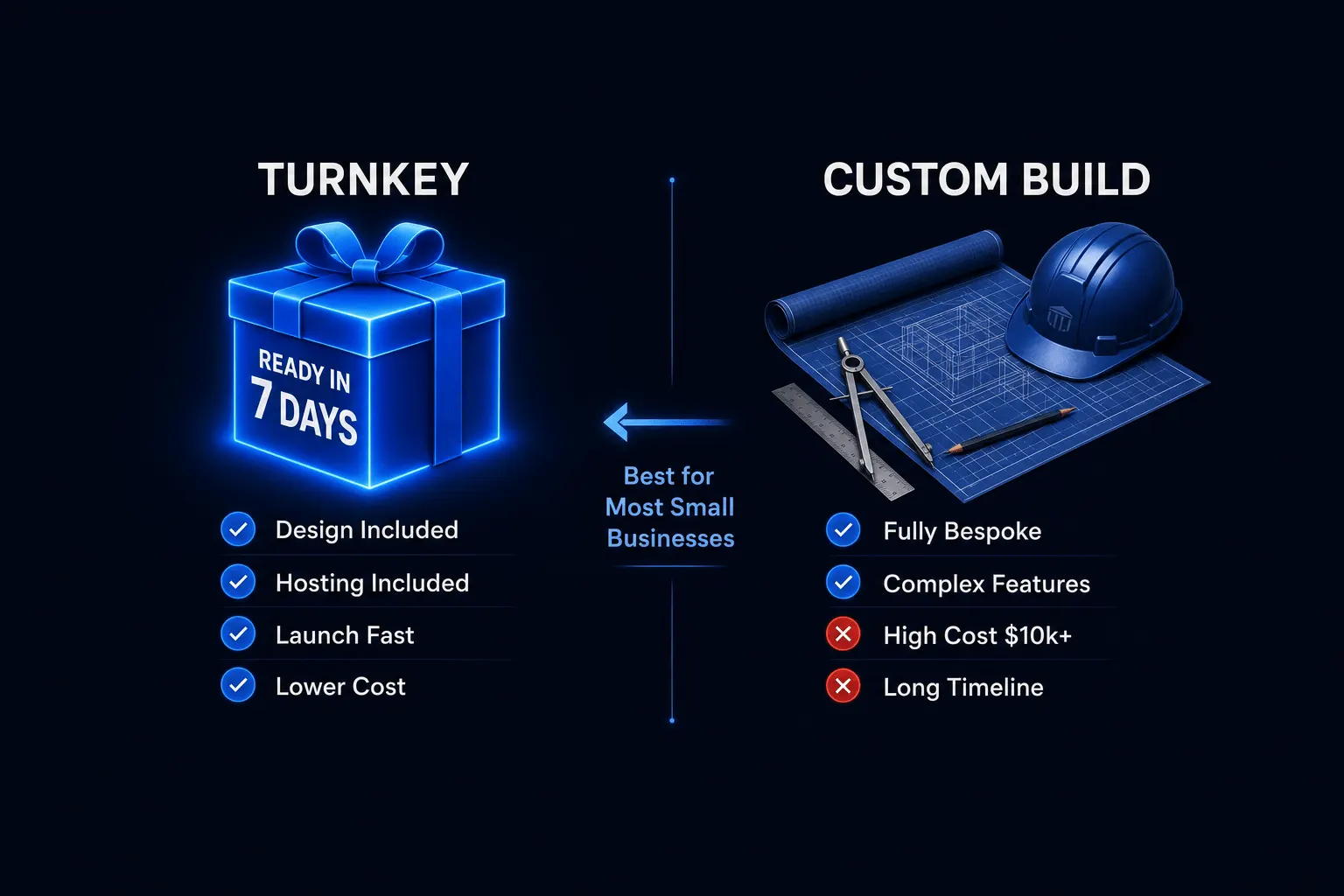
How is this different from hiring a freelancer to build from scratch? Done-for-you is faster and cheaper because the design work is already done. Freelance custom work gives you more exact control. See turnkey vs. custom build for the full comparison.
The Bottom Line
“Done-for-you” is a marketing phrase, not a regulated term, which means the burden is on you to check what it actually includes before you pay. Ownership, dependency cleanliness, and SEO history cover most of what matters.
That checklist works for evaluating any vendor’s claim, not just Astrobot’s. Use it before you buy anywhere.
For the more tactical, step-by-step version of this checklist, read how to buy a pre-built website without buying someone else’s problems, or browse Astrobot’s done-for-you websites to see real, ready-to-launch listings.
Ready to put this into practice? Explore our web design services, view plans & pricing, or book a free consultation — no pressure, just honest advice.