How to Buy a Pre-Built Website Without the Problems
The risk in buying a pre-built website isn’t usually that you’ll get scammed outright. It’s quieter than that: you’ll inherit technical debt or SEO baggage you didn’t know to check for, because nobody told you it was worth checking.
This is the tactical follow-up to what “done-for-you website” actually means. That post covers the definition. This one covers the actual verification steps.
Key Takeaways: Buying a pre-built website means inheriting its code and, if it’s on an existing domain, its history, both good and bad. Run two checks before paying: a technical check (clean code, no unlicensed dependencies, real ownership transfer) and an SEO check (no penalty history, no toxic backlinks). This is more tactical than the general “what does done-for-you mean” question, it’s the actual verification steps.
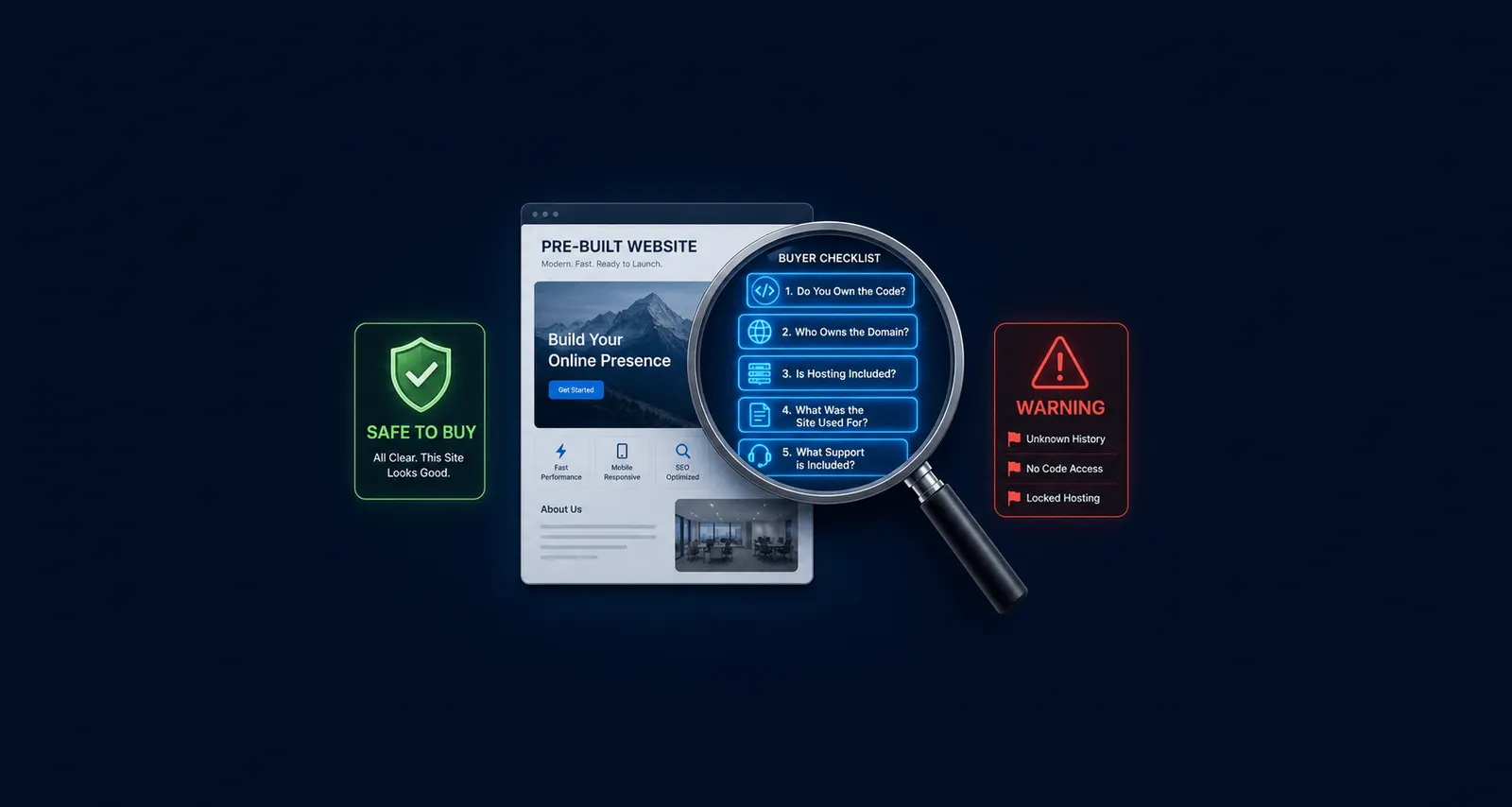
Technical Due Diligence Checklist
Ownership transfer. Do you receive the actual code, or a login to a platform you can’t take with you if you leave?
No malware or legacy debt. Is the build on a current, maintained stack, or does it carry outdated plugins and themes with known vulnerabilities?
License transferability. Are any paid themes, plugins, or assets actually licensed to transfer to you, or will you need to repurchase them after the sale?
Inheriting outdated themes or unlicensed bespoke plugins can require costly updates and rework, a concrete, named risk across due-diligence guides in this space, not a hypothetical one.
SEO Due Diligence Checklist
Penalty history. If the site is on an existing domain, has it ever been penalized by Google? A penalty can take months, sometimes years, of cleanup work to recover from, and it isn’t always obvious upfront.
Backlink profile. Does the domain have toxic or spammy backlinks that could suppress your rankings from day one, before you’ve published anything?
Domain history. How many times has the domain changed hands, and was it ever linked to spam, malware, or blacklisted activity? Domain-history tools like DomCop and Freename name frequent ownership changes, and an established domain that ranks for nothing, as red flags worth investigating.
How to Actually Verify Each Item
Ownership and licensing: ask directly, in writing, before you pay. Get it written into the purchase agreement, not just a verbal assurance you’ll have no way to enforce later.
Malware and blacklist status: free tools like the Wayback Machine and WHOIS lookups can surface a domain’s history if you’re buying an existing domain rather than a fresh one.
SEO penalty check: ask whether the site or domain has ever received a manual action in Google Search Console. For a brand-new domain, this risk doesn’t apply at all, there’s simply no history yet.
The Good News About Buying New-Build Pre-Built Sites
Most of this checklist matters far less when you’re buying a new build on a domain you register yourself, which is how Astrobot’s marketplace works, versus an existing, previously-owned site with real traffic to inherit. The technical checklist still applies in full. The SEO and domain-history checklist mostly doesn’t, because there isn’t a history to check.
That distinction is the single most useful thing this post can add over generic due-diligence content written for buyers of resold sites. A fresh build genuinely carries less risk, and it’s worth saying so plainly instead of importing every check from a heavier framework that doesn’t apply to your situation.
A Quick Pre-Purchase Checklist
- Do you receive the actual code and files? (always check)
- Is the build on a current, maintained stack? (always check)
- Are licenses for any paid themes or plugins actually transferable? (always check)
- Has the domain ever been penalized by Google? (only matters if buying an existing domain)
- Does the domain have a toxic backlink profile? (only matters if buying an existing domain)
- How many times has the domain changed hands? (only matters if buying an existing domain)
- Is ownership transfer written into the purchase agreement, not just promised verbally? (always check)
Frequently Asked Questions
Do I need to run a full due-diligence process for a brand-new pre-built site? No. The technical ownership and licensing checks still matter, but domain-history and backlink checks are mostly irrelevant for a fresh domain with no prior history.
What’s the single most important thing to verify before buying? That you actually own the code and files, not just a login to a platform. Everything else on this checklist is secondary to that one question.
How long should due diligence take? For a small purchase, a few days is typical. Don’t let a vendor rush you past basic ownership and licensing questions just to close the sale faster.
What if a vendor won’t answer these questions directly? Treat that as the clearest red flag on this entire checklist. A vendor with nothing to hide answers ownership and licensing questions plainly, every time.
The Bottom Line
Buying a pre-built website safely comes down to two checks: a technical one that always matters, and an SEO one that only matters if you’re inheriting an existing domain. Knowing which applies to your specific purchase saves you from either skipping something real or worrying about something that doesn’t apply.
Ask directly, get it in writing, and treat hesitation as information. That’s most of what safe buying actually requires.
For the definitional groundwork behind this checklist, start with what “done-for-you website” actually means, or browse Astrobot’s marketplace to see listings built as new domains from the start.
Ready to put this into practice? Explore our web design services, view plans & pricing, or book a free consultation — no pressure, just honest advice.